EnableAll logo
Back to Blog

Accessibility for Ontarians with Disabilities Act (AODA): What ecommerce brands need to know

AODA

09 Jun 20266 mins

Share

Accessibility for Ontarians with Disabilities Act (AODA): What ecommerce brands need to know

AODA

09 Jun 20266 mins

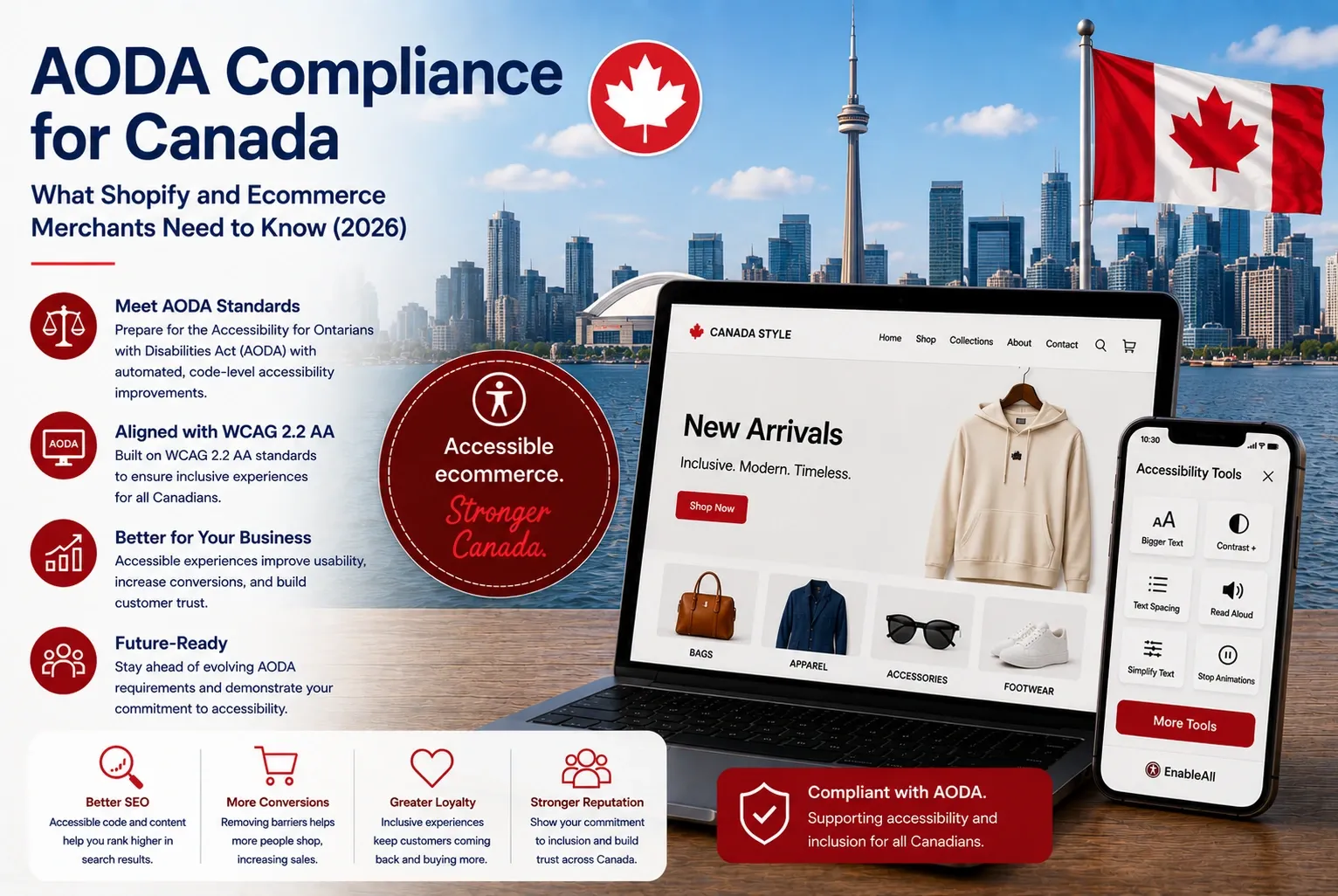
AODA compliance infographic with the Toronto skyline and CN Tower, beside a laptop showing an accessible online store.

The Accessibility for Ontarians with Disabilities Act (AODA) is the most detailed digital accessibility law affecting ecommerce businesses in Canada. For ecommerce brands operating in Ontario or serving Ontario customers, the AODA creates clear accessibility expectations for websites and digital services. Unlike many accessibility laws globally, the AODA explicitly references WCAG requirements, making it particularly important for ecommerce businesses to understand.

This article explains what the AODA means for ecommerce brands in 2026, who must comply, and how businesses can improve accessibility across their online shopping experiences.

What is the AODA?

The Accessibility for Ontarians with Disabilities Act (AODA) was introduced in 2005 to make Ontario fully accessible for its growing population of people with disabilities. The legislation establishes accessibility standards across areas such as customer service, employment, transportation, information and communications (including websites and apps), and digital accessibility.

Under the AODA’s Integrated Accessibility Standards Regulation (IASR) (Ontario Regulation 191/11), private-sector organizations in Ontario with 50 or more employees are required to ensure that their public-facing websites and web content conform to WCAG 2.0 Level AA.

This standard covers a wide range of accessibility features, including:

  • Providing alt text for images so screen readers can describe visual content.
  • Ensuring sufficient color contrast so that text and interactive elements are legible.
  • Making all functionality available via keyboard navigation (not just mouse).
  • Using clear form labels and error messages to make checkout and login processes accessible.
  • Structuring pages with clear headings and landmarks to make them easier to navigate for assistive technology users.

There are only a few limited exceptions. For example, live captioning of video and audio descriptions for pre-recorded video are not currently mandatory under Ontario rules (though they are encouraged as best practice and may become required in future).

What does the AODA mean for ecommerce brands?

More than 6.2 million Canadians (about 22% of the population) have either a physical or cognitive disability. The AODA means that, when shopping online, this growing segment can:

  • Browse products
  • Navigate websites
  • Complete checkouts
  • Understand content
  • Interact with digital services independently

Ecommerce accessibility barriers commonly affect:

  • Menus
  • Forms
  • Product images
  • Payment systems
  • Popups
  • Filtering tools
  • Mobile experiences

Accessibility improvements can also support:

  • Stronger SEO
  • Improved usability
  • Better customer experience
  • Reduced bounce rates
  • Higher conversion opportunities

Where is the AODA enforced?

The AODA applies within Ontario, Canada. It affects organizations operating in Ontario and businesses serving Ontario consumers. AODA penalties can reach CA$100,000 per day for corporations, with the Ontario Government actively conducting audits and ‘naming and shaming’ non-compliant businesses.

Enforcement can involve compliance audits, reporting requirements, financial penalties, and public investigations.

Which WCAG standard does the AODA require?

Retailers in Ontario with 50 or more employees must ensure their websites and web content conform to WCAG 2.0 Level AA. Smaller businesses still have some obligations (like accessible customer service), but larger retailers face stricter digital rules.

However, many ecommerce businesses are now moving beyond minimum compliance expectations toward WCAG 2.2 AA to support stronger accessibility and future readiness.

What are the potential consequences if you don’t comply?

Ontario conducts audits and requires accessibility reports (due every two to three years for businesses). Failure to comply can result in financial penalties, forced remediation, and loss of consumer trust.

In 2016, the Ontario Government called out several large organisations for failing to file accessibility reports (an indicator of non-compliance). Many Ontario-based organisations (including government and large companies) will not do business with suppliers that have been ‘named and shamed’ for failing to comply with AODA.

How should ecommerce brands comply?

Accessibility should be integrated into ecommerce operations continuously rather than treated as a one-time project.

Recommended steps include:

1. Understand your current accessibility gaps

Run accessibility scans and audits to identify issues affecting:

  • Screen readers
  • Keyboard navigation
  • Color contrast
  • Forms
  • Headings
  • Image descriptions

2. Align with WCAG 2.2 AA

WCAG 2.2 AA is becoming the practical benchmark for ecommerce accessibility in 2026.

3. Review EN 301 549

This is the European technical accessibility standard supporting the EAA.

4. Improve accessibility at the code level

Many accessibility issues exist within HTML structure, ARIA labels, forms, navigation, and semantic markups. Code-level remediation provides stronger accessibility support than surface-level adjustments alone.

5. Test continuously

Ecommerce stores constantly change product listings, apps, campaigns, themes, and promotions so

accessibility should be monitored continuously.

6. Publish an accessibility statement

An accessibility statement helps demonstrate transparency, commitment, and ongoing compliance efforts.

7. Combine automation with human review

No automated tool can guarantee full compliance on its own. Some accessibility issues always require manual testing, content review, UX improvements, and human judgment.

EnableAll is an accessibility platform designed specifically for ecommerce environments. Unlike traditional overlay-only approaches, EnableAll focuses on automatic code-level accessibility improvements.

This helps Shopify merchants:

  • Improve WCAG alignment
  • Strengthen accessibility support
  • Reduce developer workload
  • Avoid heavy scripts that can impact performance

EnableAll includes:

  • Automatic accessibility code-fix technology
  • Assist-Bar accessibility tools
  • Ecommerce-trained AI
  • Accessibility scanning and monitoring
  • Alt text support
  • Keyboard and screen reader enhancements
  • Accessibility statement support

The platform is designed to help ecommerce brands:

  • Reduce accessibility barriers
  • Improve the customer experience
  • Support WCAG 2.2 efforts
  • Improve accessibility without redesigning their store

Like all accessibility solutions, EnableAll does not guarantee full legal compliance on its own, as some accessibility issues always require ongoing governance and human review.

Frequently Asked Questions about the AODA

Does the AODA apply to ecommerce websites?

Yes. Ecommerce websites, including Shopify stores serving Ontario consumers, may fall within scope.

Does the AODA require WCAG?

Yes. The AODA explicitly references WCAG 2.0 accessibility requirements.

Does the AODA apply outside Ontario?

Primarily, no — but accessibility best practices often extend beyond legal minimums.

Where should you go to learn more?

Government of Ontario

EnableAll resources

Final thoughts

Canada has two major accessibility laws that affect e-commerce: the Accessibility for Ontarians with Disabilities Act (AODA) and the Accessible Canada Act (ACA).

AODA applies within Ontario, Canada’s largest province and home to nearly 40% of the country’s population. The ACA, meanwhile, applies nationwide across federally regulated industries and organizations.

If you are a retailer selling online in Canada, you may be subject to one or both laws, depending on your location and business structure. For foreign companies selling into Canada, assume that your website must comply with Canadian accessibility requirements, especially if you accept Canadian dollars and ship to Canadian addresses. Unlike some international laws that exempt small businesses, AODA and ACA both state that accessibility is a responsibility for all organizations.

Penalties for non-compliance are significant, and enforcement is growing through audits, reporting requirements, and naming/shaming strategies.

Whether through AODA, ACA, or both, Canadian accessibility law requires you to make your ecommerce site accessible. Ignoring it risks not only fines but also exclusion from millions of potential customers.

This web page is provided for informational purposes only and should not be considered legal advice. Please consult with a legal professional before taking any action.

In just a few clicks.

EnableAll accessibility widget icon
Facegym logo
Unhidden logo
BuDaGirl logo
Sabatino logo
Trend Tonic logo
Antler logo