
Have a question about EnableAll features? Get answers below in our FAQs.
Disclaimer: This content is for informational purposes only and does not constitute legal advice. We recommend consulting a qualified legal professional to understand your specific obligations under accessibility laws. If you are unsure about your compliance status, we also recommend using professional accessibility audit services for a thorough review.
What is EnableAll?
EnableAll is an accessibility platform built specifically for ecommerce. It improves how accessible your website is by repairing accessibility issues directly in your code, rather than layering a script over the top of your site.
There are four parts to it:
- Automatic Code-Fix repairs accessibility gaps inside your Shopify theme code and CMS, so your site works better for shoppers using screen readers and for shoppers who cannot use a mouse.
- The Website Assist-Bar gives your visitors on-page controls to adjust colors, contrast, text size, spacing and motion, and to turn on tools like read out text, simplified text, captions and sign language translation.
- The Auto-Audit scanner checks your site against WCAG success criteria and tells you, in plain language, what is left to fix and how to fix it.
- Expert Services bring in our accessibility specialists for the work that automation cannot do, including manual testing, full audits, VPAT documentation, training and litigation support.
EnableAll was built by ecommerce people alongside accessibility experts and people with lived experience of disability. It installs from the Shopify App Store in minutes, with no developer work and no changes to your original theme or design.
No, though they are designed to work together and most brands end up using all four for different reasons.
• Code-Fix and the Assist-Bar are both included in every plan and deliver the strongest result together. You can run Code-Fix on its own by disabling the Assist-Bar, but the Assist-Bar covers a set of WCAG requirements around adjusting text, color and motion, so switching it off means taking those on another way.
• Auto-Audit is included in your plan for ongoing monitoring, and is also available as a standalone subscription for any website rather than only Shopify stores.
• Expert Services are there when you need them rather than by default. Most brands bring them in for a full audit, for VPAT documentation in a procurement process, for a complex custom component, or if a claim arrives.
The sensible order for most stores is Code-Fix and the Assist-Bar from day one, Auto-Audit read monthly, and Expert Services when you have something automation cannot reach.
EnableAll was founded by Mike Adams OBE, a globally recognized accessibility leader with lived experience of disability, and built by a team that combines ecommerce and accessibility expertise.
The product has been shaped from the outside as well as the inside:
• People with lived experience of disability have designed and tested the Assist-Bar interface itself, which is why it works as an accessible interface and not just as a menu of accessibility features.
• We work with Purple Tuesday, the accessibility and inclusion organization, on how we talk about and design for disabled customers.
• Independent assistive technology testing companies test our releases with real assistive technology, so we know our fixes help screen reader and keyboard users rather than getting in their way.
• Our accessibility specialists include IAAP-certified professionals (CPACC and WAS).
This matters commercially as well as ethically. Tools designed without disabled input tend to produce accessibility features that technically exist but are unpleasant or impossible to use.
Shopify brands across fashion, beauty, homeware, sport, travel goods and gifting, from independent stores through to enterprise retailers. Antler, Sabatino, FaceGym, Oakley Home and Gifts, Unhidden, Display Champ, Trend Tonic and MC Slots are among the brands using EnableAll. See out customers page for more information.
Our clients tend to arrive for one of three reasons: they sell into the US or EU and want to reduce legal risk, they have realized how much revenue inaccessible journeys cost them, or they have tried another accessibility app and found the code-level work was not actually happening.
"We have tried other accessibility apps. EnableAll is far better. The backend code fixes, multi-regional flexibility, richer feature set, and premium, accessible design set it apart." Alex Hoye, CEO and Co-Founder, Faction Skis.
Both, and the product is the same product. What changes is how much of it you need and how much help you want alongside it.
Smaller stores and growing brands usually install Code-Fix and the Assist-Bar, let the automated work happen, and use Auto-Audit to see where they stand. There is no implementation project, no developer time and nothing to configure before it starts working.
Enterprise retailers get the same technology plus the things a large organization needs around it: support for custom, headless and multi-store architecture, dedicated account management, solution engineering, accessibility specialists, security and diligence documentation, VPAT and Accessibility Conformance Report support for procurement, and Expert Services for the manual work automation cannot do.
The honest test is not your revenue. It is whether your site is built on Shopify, whether you sell into a market with accessibility legislation, and whether anyone internally currently owns accessibility. If the answer to the last one is nobody, that is the gap we are built to close.
Three reasons, and the commercial ones usually land hardest.
• You are losing sales you never see. 1 in 4 people live with a disability and 1 in 5 are neurodivergent. When an image has no description, a form field has no label, or a menu cannot be reached with a keyboard, that shopper does not complain. They leave.
• The legal position has moved. The European Accessibility Act came into force on 28 June 2025, ADA lawsuits in the US have exceeded 4,000 a year with retailers among the most frequent targets, and settlement costs commonly run from $25,000 to $100,000 before legal fees.
• Accessible sites perform better. Semrush research across 10,000 websites found sites with stronger accessibility scores saw around 23% more organic traffic. Accenture found companies leading on disability inclusion achieved 28% higher revenue and 30% higher economic profit margins than their peers.
Doing this by hand is the expensive route. WCAG has more than 80 requirements, they are technical, and accessibility gaps reappear every time you add a product or change a template. EnableAll handles the repeatable part automatically and shows you what is left.
Disclaimer: This content is for informational purposes only and does not constitute legal advice. We recommend consulting a qualified legal professional to understand your specific obligations under accessibility laws. If you are unsure about your compliance status, we also recommend using professional accessibility audit services for a thorough review.
Because every accessibility improvement is also a conversion, SEO and loyalty improvement, and the same spend covers all four.
• Conversion. Removing barriers lets more of your existing traffic reach checkout. Brands spend heavily on ads and then lose a share of that spend on customers who cannot complete a purchase.
• SEO and AI discovery. Descriptive image alt text, correct heading structure and clean semantic markup are exactly what search engines and AI tools use to understand a page. Our clients see around a 3.5x increase in the positive accessibility signals that support search performance.
• Loyalty. Customers who find a site they can use comfortably come back to it, and they tell people. Visible inclusion on your storefront is a brand signal, not just a feature.
• Risk. Stronger WCAG alignment reduces your exposure and gives you documented evidence of the effort you have made.
Forrester research indicates every $1 invested in accessibility and user experience improvements can return up to $100 in benefits. Very few ecommerce initiatives are argued on those numbers.
Between them, Code-Fix and the Assist-Bar support a wide range of needs. Code-Fix does most of the work for shoppers who rely on assistive technology, because those barriers live in the code. The Assist-Bar covers the much larger group of shoppers who simply need to adjust how a page looks and behaves.
Accessibility need | What helps most |
Dyslexia | Reading guides, readable fonts, screen mask, read out text, text spacing |
Mobility impairments | Keyboard navigation, larger cursor, click on hover, enlarged targets |
English as a second language | Simplify text, word definitions, read out text, captions |
Cognitive and learning disabilities | Simplify text, declutter content, page navigation, reading guides |
Sensory processing differences | Stop animations, mute sounds, declutter content, contrast control |
Color blindness | Contrast adjustment, link highlighting, non-color indicators |
Cannot use a mouse | Full keyboard navigation, skip links, focus highlighting |
ADHD | Stop animations, declutter content, reading guides, mute sounds |
Deaf or hard of hearing | Video captions, sign language translation, audio controls |
Blind or low vision | Screen reader compatibility, alt text, contrast themes, text resizing |
Autism | Declutter content, stop animations, mute sounds, predictable navigation |
Epilepsy and photosensitivity | Stop animations, disabling flashing content |
The useful way to read the table is that some of your visitors will have one or more of these issues, and almost none of them will ask you for help.
This can vary between clients but based on how our clients' customers actually use the Assist-Bar, color and contrast changes are far and away the most used, followed by visual adjustments and font changes. In order of use:
1. Change colors, including dark mode and custom color schemes
2. Adjust visuals, including greyscale, brighter and darker images
3. Font style, switching to a more readable typeface
4. Simplify text, for clearer and easier-to-read content
5. Column and content spacing
6. Larger cursor
7. Letter spacing
8. Stop animations
9. Read out text
10. Mute sounds
11. Screen mask
12. Reading ruler
13. Sign language translation
On the Code-Fix side, the features that make the biggest difference are AI-written image alt text, form and button labels, and keyboard navigation repairs, because those are the barriers that stop a purchase completely rather than just making it uncomfortable.
On average, between 5 and 6% of visitors to a site running EnableAll engage with the Assist-Bar. That is a much larger number than most brands expect, and it is the clearest evidence that shoppers want control over how they browse.
Accessibility and WCAG explained
WCAG stands for the Web Content Accessibility Guidelines. It is the technical standard, published by the World Wide Web Consortium, that defines what makes a website usable by people with disabilities.It matters commercially because accessibility legislation around the world does not usually write its own technical rules. It points at WCAG instead. So when the ADA, the European Accessibility Act, the UK Equality Act or Canadian law asks whether your site is accessible, the practical test is generally whether it meets WCAG.
The current version is WCAG 2.2, published in October 2023, which builds on WCAG 2.1. Both are in active use, because different laws reference different versions.
Every one of the WCAG success criteria sits under one of four principles, usually shortened to POUR. They are worth knowing because they are the structure every audit report, VPAT and legal reference uses.
• Perceivable. People must be able to perceive the information. Images need text alternatives, video needs captions, text needs sufficient contrast against its background, and content must not rely on color alone to make a point.
• Operable. People must be able to operate the interface. Everything must work by keyboard, people must have enough time to complete tasks, nothing should flash in a way that can trigger seizures, and navigation must be predictable.
• Understandable. People must be able to understand both the content and the interface. Language should be clear, behavior should be consistent from page to page, and when someone makes a mistake in a form the error should explain itself.
• Robust. The content must work reliably with assistive technology, now and as that technology changes. In practice this means valid, well-structured code with correct names, roles and values on every control.
The useful thing about POUR for an ecommerce team is that it maps onto real failures. A product image with no description fails Perceivable. A checkout that cannot be completed by keyboard fails Operable. A form that says "error" without saying which field fails Understandable. A custom dropdown built out of unlabeled divs fails Robust.
Three reasons, and they are usually discovered in this order.
Legal exposure. WCAG is the standard that accessibility legislation points at. The ADA in the United States, the European Accessibility Act, the Equality Act in the UK, AODA and the Accessible Canada Act, and the Disability Discrimination Act in Australia all reference or rely on it. Strengthening your WCAG alignment strengthens your position under all of them. Accessibility claims against ecommerce sites are common, they typically begin with a demand letter rather than a court case, and the cost is usually settlement plus remediation rather than a judgment.
Revenue you are currently turning away. A meaningful share of every store's traffic has an access need of some kind, permanent, temporary or situational. When a product page cannot be read, a filter cannot be operated or a checkout cannot be completed, that visitor does not email you. They leave and buy elsewhere, and nothing in your analytics tells you it happened.
Everything WCAG asks for is also good technical practice. Descriptive alt text, proper heading structure, labeled form fields and semantic markup are the same things search engines and AI tools use to understand a page. Accessibility work and discoverability work are largely the same work.
And the plain version, which our founder would put first: people should be able to buy things.
Harder than it should be, which is the honest answer and the reason we exist.
WCAG runs to more than 80 success criteria. They are written for specialists, they interact with each other, and meeting them by hand across a full ecommerce site is a project measured in developer months rather than developer days. Then your site changes and some of them break again.
What has changed is that the repeatable part is now automatable. A tool that fixes issues in your code, plus a customer-facing layer that lets shoppers adjust what they need, plus a scanner that tells you what is left, gets most stores to a substantially better position in minutes rather than months.
Be careful about how a tool does that, though. Overlay solutions make a site look more accessible without repairing the code, which leaves the barrier in place for screen reader users and can make things worse rather than better. EnableAll fixes the code.
Because accessibility lives in the code, not in the design, and most of what breaks is invisible to someone using a mouse and a screen.
A site can look immaculate and still have images with no descriptions, headings that are only headings visually, form fields whose labels are placeholder text that disappears when you type, buttons made of unlabeled icons, color combinations that fall below the contrast threshold, a focus indicator that has been styled away because it looked untidy, and a carousel that cannot be stopped. None of that is visible to you. All of it is decisive for someone else.
There are three ordinary reasons this happens to good teams. Themes are bought or inherited and were not built with accessibility in mind. Apps inject their own markup into your pages and you do not control it. And accessibility degrades: every new product, campaign page, banner and app adds a fresh chance to introduce a barrier.
It is also worth saying that almost no site is accessible by accident. If nobody has explicitly done the work, it has not been done. That is not a criticism of your site, it is the normal starting position, and it is the position EnableAll is built for.
Three levels of increasing demand. Each one includes everything below it.
Level | What it means | Example requirements |
A | The minimum. Without these, some people cannot use your site at all. | Images have text alternatives, the site works with a keyboard, content is not auto-playing audio, nothing flashes in a way that risks a seizure |
AA | The level almost all legislation references. This is the practical compliance target. | Sufficient color contrast, text resizable to 200%, clear focus indicators, labels on form fields, consistent navigation |
AAA | Best practice, and not expected across a whole site by any major law. | Enhanced contrast, sign language interpretation for video, content at a lower reading level, no unexpected changes of context |
If someone tells you a site is WCAG compliant without naming a level, ask which one. AA is what they almost certainly mean, and it is what your legal exposure is measured against.
EnableAll targets Level AA and includes a wide range of AAA features, including sign language translation, simplify text and read out text, which most tools in our category do not carry.
In practice it means a shopper can complete a purchase without needing to see your design, use a mouse, or hear your audio. Concretely:
• Every product image has a description that tells a screen reader user what the product is, not just that an image exists.
• Every form field is labeled, so a shopper filling in checkout knows which box wants their postcode.
• The whole journey works with a keyboard, including your menu, filters, size selectors, cart drawer and checkout. Focus has to be visible and it has to move in a sensible order.
• Text and interface elements have sufficient contrast, and text can be resized to 200% without content disappearing or layouts breaking.
• Nothing depends on color alone, so a sale price, an error message or an out-of-stock state is not communicated only by making something red.
• Motion can be stopped, and nothing flashes in a way that risks triggering a seizure.
• Headings describe the structure of the page, so a screen reader user can navigate rather than listen to everything.
• Errors are announced and explained, rather than a form simply refusing to submit.
WCAG 2.2 added several criteria that hit ecommerce specifically, including requirements around drag-based interactions, target sizes, consistent help, and not asking a user to re-enter information they have already provided during a checkout.
The most common failures on ecommerce sites are the first three on that list, which is exactly what Code-Fix addresses automatically.
The same handful, on almost every site, which is what makes automation worth it.
1. Missing or useless image alt text. Product images with no description, or a description that reads "IMG_4471.jpg". This is the single most cited failure in demand letters, partly because it is trivially easy for an automated legal scanning tool to detect.
2. Unlabeled form fields. Checkout, address, search and newsletter fields with no programmatic label.
3. Broken keyboard navigation. Mega menus, filter panels, size selectors, quick-view modals and cart drawers that cannot be reached or escaped without a mouse.
4. Insufficient color contrast. Light gray body text, pale placeholder text, and low-contrast buttons and badges.
5. Missing or invisible focus indicators, often removed deliberately during theme development because they were considered ugly.
6. Heading structure used for styling rather than structure, which leaves a screen reader user with no way to navigate the page.
7. Inaccessible third-party apps. Review widgets, size guides, cookie banners, live chat and popups, all of which sit outside your theme.
8. Images of text, where the price, the offer or the shipping terms exist only inside a banner graphic.
9. Auto-playing carousels and animations with no way to stop them.
10. Errors that are shown but not announced, so a screen reader user does not know why checkout failed.
Code-Fix addresses most of the first six automatically. Auto-Audit finds the rest and tells you which is which.
Roughly speaking, automation handles the mechanical and a person handles the meaningful.
Automation does well
• Anything that is structurally detectable and structurally fixable: missing alt text, missing labels, ARIA attributes, heading levels, skip links, focus visibility, keyboard order and contrast values.
• Anything repetitive. A person will not check ten thousand product images every week. A tool will.
A person is required for
• Whether a description is any good. A tool can confirm alt text exists. Only a person can tell you it says the wrong thing.
• Whether a journey actually works. A checkout can pass every automated check and still be impossible to complete with a screen reader.
• Meaning and clarity. Whether an instruction, an error message or a returns policy makes sense.
• Complex custom interactions. Configurators, booking flows, interactive size guides, anything bespoke.
• Media. Caption accuracy, and audio description for video, which technology cannot yet do reliably.
• Judgment calls, such as whether an alternative route to the same task is genuinely equivalent.
Industry consensus is that automated testing detects somewhere around a third of WCAG issues by criterion count, though a much higher share of the issues that actually appear on a typical ecommerce site, because ecommerce sites fail on the same mechanical things repeatedly.
The honest conclusion, which we would give you even if we sold nothing: automate the repeatable part, then spend your human budget on the journeys that make you money.
Conformance is technical. Compliance is legal. They are related and they are not the same thing, and conflating them is how brands end up surprised.
• Conformance means your site meets a defined set of WCAG success criteria at a stated level, on a stated date, across a stated set of pages. It is measurable, and an audit can assert it.
• Compliance means you are meeting your obligations under a particular law in a particular jurisdiction. That depends on the law, on what you sell, on who your customers are, on how a court or regulator interprets the requirement, and on what you did when a problem was raised with you.
A site can conform to WCAG 2.2 AA on a Tuesday and be the subject of a demand letter on a Wednesday, because someone found a barrier the audit did not cover. Equally, a site with known issues and documented, active remediation is in a considerably better position than a site with the same issues and no evidence of effort.
This is why we talk about improving alignment and reducing risk rather than delivering compliance. It is also why the documentation matters as much as the fixes.
WCAG 3.0 is still a W3C Working Draft. It was updated again in March 2026 and it has no publication date. It proposes a genuinely different model, moving from pass or fail success criteria toward a scored approach with outcomes and assertions, which is a significant change and part of why it is taking time.
What that means for you:
• Your current obligations are unchanged. Legislation references WCAG 2.0, 2.1 or 2.2. Nothing references 3.0.
• Nothing becomes required on publication. A law has to be amended, or a regulator has to adopt the new version, before it changes what you must do. That process takes years.
• WCAG 2.2 work is not wasted. The direction of travel in the 3.0 drafts is toward a higher bar, not a different one. Sites that meet 2.2 AA today are well placed.
• Where 3.0 is heading is roughly where AAA already is, which is why we have built AAA-level features such as sign language translation, simplify text and enhanced contrast control into the Assist-Bar now rather than later.
Anyone telling you that you need to act on WCAG 3.0 today is selling you something. We will update this answer when the position genuinely changes.
Assistive technology is any tool that helps a disabled person do something they would otherwise find difficult or impossible. Online, that usually means software that sits between the person and the website.
The common ones are screen readers, which read a page aloud; screen magnifiers; speech recognition software, which lets someone operate a site by voice; switch devices and alternative keyboards for people who cannot use a mouse; and braille displays, which convert on-screen text into refreshable braille.
The important thing for a retailer is that none of these tools can invent information that is not in your code. A screen reader can only read the alt text that exists. Speech recognition can only activate a control that is properly labeled. This is why accessibility work has to happen in the code rather than on the surface, and it is the reason Code-Fix works the way it does.
The Assist-Bar is not assistive technology in this sense. It is a personalization layer that sits on your site and helps any visitor adjust how they read it. It works alongside a visitor's own assistive technology rather than replacing it.
A screen reader is software that reads a website aloud, or sends it to a braille display. It is the primary way blind and many partially sighted people use the web.
A screen reader does not see your page the way you do. It reads the underlying code and builds a spoken version of it: headings in order, links by their text, images by their alt text, form fields by their labels, buttons by their names. If a heading is only a heading because it is large and bold, the screen reader does not know it is a heading. If a button is an unlabeled icon, it is announced as "button" and the person has no idea what it does.
The common screen readers are JAWS and NVDA on Windows, VoiceOver on Mac and iOS, and TalkBack on Android. Our Expert Services testing uses real assistive technology rather than simulation, because a page can pass every automated check and still be unusable with a screen reader.
The read out text feature in the Assist-Bar is not a screen reader and does not replace one. It reads page content aloud for anyone who prefers to listen, including people with dyslexia, low literacy or fatigue, and people reading in a second language.
Someone who navigates a website using the keyboard rather than a mouse or trackpad. They move through the page with Tab, activate things with Enter or Space, and use arrow keys inside menus and carousels.
People do this for a lot of different reasons: blind people using a screen reader, people with tremors, arthritis or repetitive strain injuries, people with limited mobility using a switch device or an alternative keyboard, and people who are simply faster that way.
Keyboard access is where a lot of ecommerce sites quietly break. Common failures are focus that disappears so the person cannot see where they are, a cookie banner or a drawer cart that traps focus so they cannot get out, a mega menu that only opens on hover, a product image gallery that cannot be advanced, and a checkout step that can be reached but not completed.
You can test this yourself in two minutes. Put your mouse away, press Tab from the top of your homepage, and try to buy something. If you lose track of where you are, or you get stuck, so does everyone in the paragraph above.
Accessibility law by region
It depends where your customers are, not only where you are registered. If you ship internationally, you are likely in scope of more than one regime.
Where you sell | What applies | Standard referenced |
United States | Americans with Disabilities Act (ADA), plus state laws such as California's Unruh Civil Rights Act | WCAG, commonly 2.1 AA in practice |
European Union | European Accessibility Act (EAA), implemented through national law in each member state | EN 301 549, which incorporates WCAG |
United Kingdom | Equality Act 2010 | WCAG, commonly 2.2 AA as best practice |
Canada | Accessible Canada Act federally, AODA in Ontario, and provincial equivalents | WCAG 2.0 or 2.1 AA depending on regime |
Australia | Disability Discrimination Act | WCAG 2.1 AA |
Germany | BFSG, implementing the EAA | EN 301 549 |
Israel | Standard 5568 | WCAG based |
Brazil | Brazilian Inclusion Law (LBI) | WCAG based |
Japan | JIS X 8341 | WCAG based |
A UK brand with a US storefront is subject to US law for those customers. An EU-shipping retailer is in scope of the EAA regardless of where it is based. This surprises people, and it is the most common reason our clients come to us. Our compliance hub covers each law in detail.
If you sell to consumers in the EU, very likely yes. The EAA applies to products and services placed on the EU market, and ecommerce is explicitly within its scope. Where you are incorporated is not the test.
It came into force on 28 June 2025, so this is not a future deadline to plan for. It is a current obligation.
A few things worth knowing:
• It is implemented nationally. The EAA is a directive, so each member state has its own implementing law, its own regulator and its own penalties. Germany's BFSG is one example. You may be dealing with several.
• Microenterprises providing services have an exemption in the directive, generally understood as fewer than ten employees and under a set turnover threshold. Whether that applies to you is a question for your legal adviser, not for us.
• Penalties vary widely by member state, and some are substantial. Ireland is unusual in treating serious non-compliance as a criminal matter with personal liability for directors and managers.
• Enforcement has started. France has filed enforcement actions against major retailers.
If you have an EU storefront, an EU-facing domain or ship to EU consumers, this is worth a conversation with your legal team rather than a judgment call.
Three kinds of cost, and the one most brands underestimate is the first.
• Lost customers. 1 in 4 people live with a disability and 1 in 5 are neurodivergent. Every barrier on your site is a purchase that did not happen, from a customer who does not tell you why and does not come back.
• Legal exposure. ADA lawsuits in the US have run above four thousand a year with retailers among the most frequently targeted, and settlements commonly cost from $25,000 to $100,000 before legal fees. In the EU, the European Accessibility Act has been in force since 28 June 2025, penalties are set nationally and some are severe, and enforcement action has begun.
• Reputational damage. A public complaint from a disabled customer, or a lawsuit reported in trade press, costs more than the settlement. Retailers are the most visible targets in both US litigation and early EU enforcement.
There is also an opportunity cost that does not show up as a risk at all. Your competitors are improving their accessibility, and accessible sites see more organic traffic and better conversion. Doing nothing is a decision with a price.
It varies enormously by market and by how the claim is handled, and the settlement is rarely the largest number.
• United States. Demand letters are the usual starting point rather than a filed lawsuit. Settlements for small and mid-sized retailers commonly land between $10,000 and $85,000, with mid-market cases in the $25,000 to $100,000 range and enterprise cases considerably higher, before legal fees.
• European Union. Penalties are set nationally and vary from modest to severe. Some member states provide for fines in the hundreds of thousands of euros or a percentage of turnover, and restricted market access is a real consequence.
• The costs people forget. Legal fees, the remediation work you are then required to do on a deadline set by someone else, the internal time spent managing it, the ongoing monitoring often written into a settlement, and the reputational cost of a public complaint from a disabled customer.
The pattern our clients report is that the remediation you do under a settlement costs several times what doing it voluntarily would have cost, because it is scoped by the other side and delivered against their timetable.
Almost never with a customer complaining to you first, which is the part brands find hardest to accept.
The common pattern in the US is that an automated scanning tool crawls large numbers of ecommerce sites looking for easily detectable WCAG failures, most often missing image alt text and unlabeled form fields. Sites that fail generate a demand letter, frequently sent in volume by the same small number of law firms.
This has two implications worth acting on:
• The failures that get you noticed are the mechanical ones, because those are what a scanner can detect at scale. They are also the ones automation fixes.
• Being findable matters. A site with obvious, machine-detectable failures is a cheaper target than one without them.
It is also why we built the Give feedback option into the Assist-Bar. Giving a customer an easy, visible way to tell you about a barrier is both the right thing to do and evidence that you offered a route short of legal action.
It helps, and on its own it is not enough. It may make things worse if it is not true.
A good accessibility statement does three useful things: it tells customers what to expect, it gives them a way to report a barrier, and it evidences that you are treating accessibility as an ongoing responsibility. Several accessibility regimes expect one, and it is often the first thing a regulator or complainant looks for.
What it does not do is change your site. And a statement claiming conformance you do not have is a written admission of the standard you are failing to meet, which is a worse position than having no statement at all.
Our advice: publish a statement that is accurate about where you are, including what you know is outstanding and what you are doing about it. We provide a free template that has been through legal review, and EnableAll generates a statement based on the tools you have active.
You are, in almost every case. The obligation attaches to the business providing the goods or services, not to the supplier who built the website.
Your contract with your agency is a separate question and worth reading. Some development agreements include warranties about standards compliance, and some explicitly exclude accessibility. Either way, the demand letter arrives at your address.
The practical response is not to blame anyone, it is to be explicit about ownership. Decide who is responsible for accessibility in your build process, who checks it before a release goes live, and who monitors it afterwards. Accessibility that both parties assume the other is handling is the most common way this goes wrong.
Improving your site's accessibility reduces your risk. Installing an app does not, in itself, and the distinction is important.
A tool that repairs the failures a scanning tool would find, and keeps repairing them as your site changes, genuinely reduces your exposure. A tool that only changes how your site appears to a sighted visitor leaves the underlying failures in place, which is why overlay-only tools have not protected the brands using them. Some overlay tools have been named in plaintiff firm settlement agreements, meaning their use can be prohibited as part of a settlement.
What actually helps:
• Fixes in your code, which is the layer a scanning tool and an auditor both read
• Ongoing coverage, so new products and templates do not reintroduce failures
• Dated documentation of what you found and what you fixed
• A visible route for customers to report a barrier to you
• A human audit for the things automation cannot judge
No software provides legal protection, and we do not offer indemnity. Anyone who tells you their subscription makes you safe is describing something software cannot do.
Compliance and legal risk with EnableAll
EnableAll is built to strengthen alignment with WCAG 2.1 and 2.2, principally at Level AA, with a range of Level AAA features and an eye on the direction of WCAG 3.0.
WCAG is the standard that accessibility legislation around the world refers to, so stronger WCAG alignment supports your position under laws including:
• Americans with Disabilities Act (ADA), United States
• European Accessibility Act (EAA) and EN 301 549, European Union
• Equality Act 2010, United Kingdom
• Accessibility for Ontarians with Disabilities Act (AODA) and the Accessible Canada Act (ACA), Canada
• Disability Discrimination Act (DDA), Australia
• Section 508 and Section 504, United States federal
• BFSG, Germany
• and other national regimes, including the LBI in Brazil, JIS X 8341 in Japan and Standard 5568 in Israel
Requirements vary by region and by what you sell, and they are still changing. Our compliance pages cover each law in detail.
No, and no accessibility software can. Any tool that tells you otherwise is worth being careful with.
What EnableAll does is significantly improve your alignment with WCAG, which is the standard those laws reference, and give you documented evidence of the work you have done. Your accessibility certificate and statement, your dashboard and your Auto-Audit reports together show what has been fixed and what you are working on.
We also do not offer legal protection or indemnity, and we are not a law firm. For advice on your specific obligations, talk to a qualified legal professional.
Because it would not be true, and because the industry has already shown where those claims lead.
Overstated compliance claims in the accessibility sector have resulted in FTC enforcement action, legal challenges and brands discovering during a lawsuit that the tool they were relying on had not delivered what they thought it had. The company that made the claim is not the one that receives the demand letter.
There are also sound technical reasons why no tool can promise it:
• Some WCAG requirements depend on editorial and design judgment, such as whether an instruction is clear or a description is meaningful.
• Some cannot yet be met by technology alone, for example audio description for video content.
• Barriers hardcoded into custom code are ours to identify, not to overwrite.
• Third-party apps run independently of your theme.
• Compliance is a moving state. Every new product, template change and app install can introduce something new.
Our position is that being straight about this is more useful to you than a reassuring claim you cannot rely on. We tell you what we fix, we show you what is left, and we offer expert help to close the gap.
EnableAll will take you a long way, and it will not take you all the way on its own.
Code-Fix, the Assist-Bar, the AI Alt Text Engine and Auto-Audit together address the large majority of accessibility barriers on a typical Shopify store, and clients have seen up to a 98% reduction in accessibility errors within hours of installing. Full conformance can still be affected by:
• Custom code with accessibility problems written into it, which Auto-Audit will highlight rather than change
• Custom code that interferes with how our platform works
• Third-party apps
• A small number of WCAG requirements that cannot yet be met by technology alone, such as audio description for video
• Content and design decisions that need a person to make them
Auto-Audit highlights what remains with clear guidance, and we recommend a human accessibility audit for full confidence in your position. Our Expert Services team can carry that out or work with your existing provider.
In roughly this order:
1. Act on your Auto-Audit findings. They are prioritized and come with code-level guidance, so this is the cheapest next step available to you.
2. Cross-check with free tools. WAVE by WebAIM, Lighthouse and Axe DevTools will each catch slightly different things, and they are free.
3. Fix your content habits. Clear product descriptions, meaningful link text, captions on video and sensible heading structure prevent new issues rather than repairing old ones.
4. Deal with your third-party apps. Raise accessibility with those vendors, and be prepared to switch where an app is the barrier.
5. Commission a human audit. This is what tells you where you genuinely stand.
6. Train your team. The most sustainable outcome is developers, designers and content editors who build accessibly by default.
Our Expert Services team can help with any of steps three through six.
Yes, on the technical side. We are not a law firm and we do not give legal advice, but we can give your counsel the technical picture they need.
• Your accessibility certificate and statement document the tooling you had active and the standards it addresses.
• Your Auto-Audit reports document what you found and what you fixed, with dates.
• Our Expert Services team can review your setup, assess the specific claims made, and prepare a technical response and remediation plan.
• The Assist-Bar's Give feedback option matters here too. It shows you gave visitors a route to raise a problem with you directly before resorting to legal action.
If you have received a demand letter, contact us promptly. Early response usually matters, and some of the work needed to support your lawyers may be chargeable as a professional service. We recommend working with a qualified attorney on the legal response itself.
Yes. On installation we issue an accessibility certificate and an accessibility statement, both downloadable from your dashboard, summarizing which EnableAll tools you have enabled and which standards they help address.
Beyond that, Auto-Audit reports export in formats suited to legal teams, stakeholders, developers and procurement, and our Expert Services team produces VPAT and Accessibility Conformance Report documentation where you need it for enterprise or public sector procurement.
We also publish a free accessibility statement template you can adapt, reviewed by our legal team, for brands who want to write their own.
Your certificate and statement are evidence of your accessibility efforts and active tooling. They are not a legal certification, and they remain valid while your subscription is active. See our pricing FAQs for what happens to them if you cancel.
EnableAll keeps running. Code-Fix automatically bridges accessibility gaps in new content as you add it, including image alt text, form labels, ARIA attributes, structural fixes and skip links for keyboard users.
There is one thing to watch. If your developers write new accessibility problems directly into your custom code, those may sit outside what our automation can repair, because we fill gaps rather than overwrite your work. Auto-Audit will find them, so running regular scans and scheduling manual testing after significant development work is the safeguard.
It is worth telling your development team and your agency that EnableAll is installed and what it does. Accessibility work duplicated by both sides is wasted effort, and accessibility work assumed by both sides is how gaps appear.
Automatic Code-FixWe build ahead of the standards, and no tool can promise you will never have to think about accessibility again.
What we actually do:
• We support WCAG 2.1 and 2.2 today, which is what current legislation references.
• We have built AAA-level capability already, including sign language translation, simplify text, read out text, image reader and enhanced contrast control. The direction of travel in the WCAG 3.0 drafts is toward that kind of requirement, so this is deliberate rather than incidental.
• Code-Fix updates automatically. As we improve what our automation covers, your site benefits without you doing anything, and new content you add is covered as you publish it.
• We track the standards and the legislation and update the platform as they move.
The honest caveat: standards changing is only one source of accessibility drift. Your own site changing is the bigger one. New custom components, new third-party apps and new campaign pages can all introduce barriers automation does not reach, which is why Auto-Audit and periodic human review remain part of the answer.
WCAG 3.0 is still a working draft with no publication date, and nothing in it is required of you yet. Anyone telling you otherwise is selling something.
Automatic Code-Fix
Code-Fix is the part of EnableAll that repairs accessibility problems inside your website code, in the layer that assistive technology actually reads. It works continuously, without developer involvement, and without changing your original theme files.
It repairs the accessibility barriers that are both the most common and the most costly:
• Missing or weak image alt text, written by our ecommerce-trained AI so descriptions are useful for buying decisions as well as for screen readers.
• Missing form field and button labels, so a shopper using a screen reader knows what each field is asking for.
• ARIA attributes and semantic markup, so assistive technology can interpret the structure of the page.
• Heading hierarchy, so pages can be navigated by structure rather than read top to bottom.
• Keyboard navigation and skip links, so shoppers who cannot use a mouse can reach the whole store, including checkout.
• Focus indicators, so keyboard users can see where they are on the page.
• Link context, so links make sense when read out of context.
• Color contrast issues in the areas we are able to address.
It also keeps working as your store changes. New products, new pages and template edits are picked up and fixed automatically.
Being straight about this is the point.
What automation handles well
• Image alt text, ARIA labels, form field labels, button labels, heading structure, skip links, focus visibility and keyboard navigation repairs, applied continuously across your store.
What still needs a person
• Content and editorial decisions, such as how a product description is worded or whether an instruction is clear.
• Video and audio content, including audio description for video, which cannot yet be produced reliably by technology alone.
• Accessibility problems hardcoded into custom code. Code-Fix fills gaps rather than overwriting your work, so if a barrier is written into your custom code we identify it rather than change it.
• Third-party apps, which run independently of your theme.
• Complex custom interactions, such as bespoke configurators or booking flows.
Auto-Audit finds what is left and tells you how to fix it, and our Expert Services team can do that work if you would rather not. That combination is how brands get from a strong automated baseline to genuinely thorough coverage.
No. We never overwrite your existing code and we do not change your visual design. Code-Fix bridges accessibility gaps around your theme rather than editing what you have already built.
That has two practical consequences worth knowing. Your brand and layout stay exactly as designed, and anything you have already set yourself, such as alt text you wrote by hand, is left alone unless you specifically ask us to replace it.
Never. Code-Fix runs continuously in the background. When you add products, update content or change your layout, accessibility fixes are applied to the new and updated elements automatically.
This is the difference between an accessibility project and accessibility as a standing state. A one-off audit describes your site on the day it was run. An always-on tool keeps working as your store changes, which for most ecommerce brands is every week.
Immediately. Code-Fix begins applying improvements as soon as it is installed, and most stores see a significant improvement in their WCAG position within minutes.
Our clients have seen up to a 98% reduction in accessibility errors within hours of installing, with no development work at all. You can check this yourself by running your site through a free checker such as WAVE by WebAIM or Lighthouse before and after installation.
Yes, and this is one of the highest-value things Code-Fix does. Around 7% of people cannot use a mouse.
Code-Fix repairs theme layout issues that break keyboard navigation, adds skip links so a keyboard user can jump past your navigation to the content, and makes sure focus is visible as it moves. The Assist-Bar adds a keyboard-first access banner, a larger cursor and click on hover for shoppers with motor impairments.
This is also worth testing yourself, because it takes five minutes and it is revealing. Put your mouse down and try to buy something on your own site using only the Tab, Enter and arrow keys. Most people do not get past the size selector.
Yes. Missing form labels and incorrect ARIA are two of the most common and most damaging failures on ecommerce sites, and both are squarely in Code-Fix's scope.
A form label is what tells a screen reader user what a field is for. Without it, a checkout field is announced as an unlabeled text box, and the shopper is guessing. ARIA attributes describe the role, state and purpose of interface elements, so a screen reader can say that a menu is expanded or a button is a filter.
One caution. Incorrect ARIA is worse than no ARIA, because it actively misinforms assistive technology. This is a common failure of tools that add ARIA indiscriminately, and it is why we test our fixes with real assistive technology rather than only against a checker.
No. You have three options, and the default is the cautious one.
1. Fill gaps only. We add descriptions where images have none, and leave everything you have written alone. This is the default.
2. Overwrite existing alt text. Useful if your current descriptions are thin, duplicated or auto-generated by another tool.
3. Turn it off entirely.
Alt text we generate is stored in your Shopify media library, so you can read, edit or delete any description exactly as you would your own. We always recommend a review pass over your best-selling products, because a human eye catches the nuance automation misses.
A general-purpose AI describes an image. An ecommerce-trained AI describes a product.
The practical difference is the gap between "blue scarf" and "navy blue merino wool scarf with fringed edges and a herringbone pattern". The first satisfies a checker. The second lets a shopper using a screen reader decide whether to buy, and gives search engines something worth indexing.
The same principle runs through the rest of the platform. Our Simplify Text feature keeps product intent and purchase language intact instead of flattening it. Our AI understands product pages, collections, merchandising and checkout flows, which is why the accessibility work it does tends to support conversion and SEO rather than sitting alongside them.
Code-Fix works on your theme and core store code. Third-party apps run independently, and they may introduce their own accessibility problems that we cannot modify.
What we can do is tell you about them. Auto-Audit identifies accessibility gaps in third-party app content, so you know where the remaining work is and can raise it with that app's developer or bring in our Expert Services team. We are always keen to build out our integrations, so if a specific app is causing you problems let us know at .
The Website Assist-Bar
An accessibility toolbar is a control that appears on a website and lets each visitor change how the site is presented to them: text size, contrast, colors, spacing, fonts, motion, reading support and so on. The settings apply to that visitor only. Nothing changes for anyone else, and nothing changes about your design.
It is worth being precise about what a toolbar is for, because the category has been oversold. A toolbar is a personalization layer. It helps a visitor adapt your site to how they read, which is genuinely valuable for people with dyslexia, low vision, color blindness, ADHD, migraine, sensory sensitivities and anyone reading in a second language. What it cannot do is repair the code underneath it. If your images have no descriptions and your buttons have no labels, a toolbar does not fix that, and a visitor using a screen reader gets no benefit from it at all.
That is why the Assist-Bar is one of four things we do rather than the whole product. Code-Fix repairs the code, Auto-Audit tells you where you stand, Expert Services does the work automation cannot, and the Assist-Bar sits on top so each visitor can shop the way that suits them.
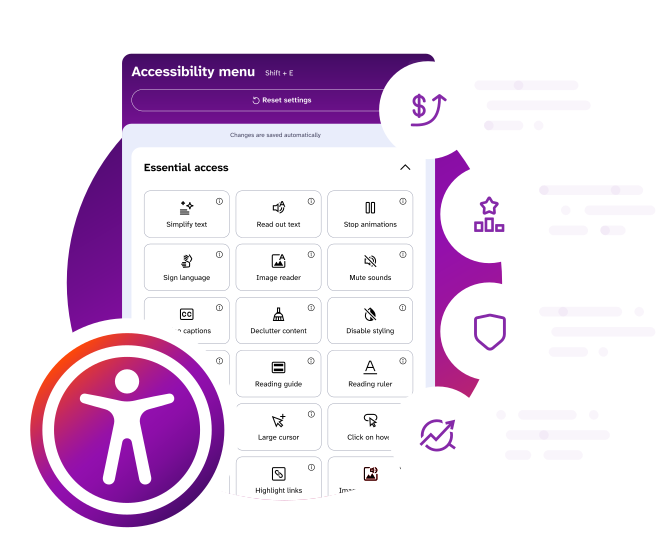
The Assist-Bar is the accessibility control panel that appears on your website, letting each visitor adjust how they browse.
Opening it gives a shopper more than 40 tools. They can change colors, contrast, font, text size and spacing, stop animations, mute sounds, turn on a reading guide, ruler or screen mask, have text read aloud, simplify wording, read text inside images, switch on captions, or use sign language translation.
It supports shoppers with dyslexia, ADHD, autism, epilepsy, learning difficulties, cognitive differences, contrast sensitivity, and hearing, visual or motor impairments. Rather than deciding what someone needs, it lets them decide.
Plenty of people use it who would not describe themselves as disabled at all. Listening to a page instead of reading it, or turning down a busy animation, is useful to most of us at some point in a day.
The full Assist-Bar set, grouped by the WCAG level each feature supports. Every one of these is on every plan.
Level A, essential access | Level AA, the legal standard | Level AAA, advanced |
Stop animations | Text resizing up to 200% | Simplify text to around a grade nine reading level |
Mute sounds | Font, spacing and readability controls | Sign language translation |
Image descriptions on all text | Color contrast adjustments | Click on hover |
Video captions | Highlight links and focus states | Declutter content |
Keyboard-first access banner | Error visibility and navigation clarity | Full color and visual customization |
Skip navigation | Page magnification | Read out text |
Image reader for text inside images | Reading guide, ruler and screen mask | |
Larger cursor | Disable styling | |
Word definitions | ||
Voice dictation |
Alongside that, Code-Fix works mostly at Level A and AA, because that is where the structural barriers sit: image alt text, ARIA labels, form and button labels, heading structure, skip links, focus visibility and keyboard navigation.
Two things worth taking from this. AA is the level almost all legislation references, and we cover it broadly. AAA is where most tools in this category stop, and it is where several of our most-used features live, which is why the Assist-Bar reaches shoppers other tools do not.
Disclaimer: This content is for informational purposes only and does not constitute legal advice. We recommend consulting a qualified legal professional to understand your specific obligations under accessibility laws. If you are unsure about your compliance status, we also recommend using professional accessibility audit services for a thorough review.
A small accessibility icon on every page. Shoppers who do not need it will not think about it again.
Shoppers who do need it get immediate access to the tools that let them shop without having to email you, phone you or give up. That is the part that shows up in your conversion numbers.
No. Visitors who never open the Assist-Bar see your site exactly as you designed it, with one small persistent control on the page.
The Assist-Bar is opt-in and per visitor. Every adjustment a person makes applies only to their own view, in their own browser, for their own session. Contrast changes, dark mode, larger text, different fonts, spacing changes and everything else are invisible to everyone else and leave your design untouched.
Code-Fix is a different matter, and worth being clear about. Code-Fix does change your site, because it repairs the underlying markup. Those changes are structural rather than visual: descriptions added to images, labels added to form fields, names given to controls, heading order corrected, focus behavior restored. They are designed not to alter how your site looks, and our answer on whether we change your appearance covers the detail.
The one visible change is the Assist-Bar control itself, and you choose where it sits and how it is styled.
No. Your theme, your branding, your typography and your layouts stay exactly as designed, for every visitor who does not choose otherwise.
Two reasons. Code-Fix works in your code rather than on your design, adding the labels, descriptions and structure that assistive technology needs without touching anything visible. And the Assist-Bar is opt-in: a shopper who adjusts contrast or font size changes their own view of your site and nobody else's.
The only visible addition is a small accessibility icon. You control its position, its color and its icon so it reads as part of your site, and the color options are limited to combinations that meet contrast requirements so it cannot be branded into something a low-vision shopper cannot find.
This is a real difference from overlay tools, which repaint the page on load and can visibly alter a carefully built design.
Yes. You can set its position, colors and icon so it reads as part of your site rather than a bolt-on. See this support page on how to do that. The Assist-Bar was designed to sit comfortably on premium ecommerce sites, which is not something most accessibility widgets can claim.
There is one deliberate limit. Color choices are constrained to combinations that meet WCAG contrast requirements, so the Assist-Bar cannot be branded into something a low-vision shopper cannot read.
It appears as a single control on every page of your storefront except check out, and yes, you choose where it sits.
The default position is the bottom corner, which is where visitors who use these tools have learned to look for them. You can change the corner, adjust the offset from the page edges, and style the control so it reads as part of your site rather than as something bolted on. Position and appearance are both set in your EnableAll settings without touching your theme.
Two things worth knowing when you choose. The control should not sit on top of anything a customer needs, particularly a sticky add-to-cart bar, a cookie banner or a live chat launcher, so check it against those on mobile as well as desktop. And it should stay in the same place across the site, because consistency is part of what makes it usable.
The Assist-Bar can also be opened from a link elsewhere on your site, for example from your accessibility statement, if you would rather give people a second route to it.
Core Assist-Bar features stay consistent across every site running EnableAll, on purpose. A shopper who has learned where the reading guide lives on one store should find it in the same place on the next one, and removing features would quietly remove WCAG coverage you are relying on.
Where a specific backend feature conflicts with your setup, you can disable it from your EnableAll dashboard, and our support team can help you work out whether disabling it is the right answer or whether the conflict itself can be fixed.
Yes. The Assist-Bar is fully responsive across desktop, tablet and mobile, and the interface adapts to the screen so every tool stays reachable on a phone.
Code-Fix improvements are device-independent, because they sit in your code rather than in a layout. Given how much ecommerce traffic is mobile, an accessibility tool that only really works on desktop is not much use.
The Assist-Bar interface is available in 133 languages and adapts to your store's language settings automatically, so an international shopper finds the accessibility controls in their own language.
Translating your storefront content itself is a separate option. Our ecommerce-trained AI translation is available as an add-on, and you can see the cost for your site before committing to it. See our pricing FAQs for how that is charged.
Yes. A visitor's preferences are remembered so your site appears the way they need it each time they come back, with no reconfiguring. This is done without collecting any personal information about them.
Because no two people experience a disability the same way, and profiles like "blind mode" or "dyslexia mode" assume they do.
We tested this with accessibility experts and with people with disabilities, and the finding was consistent. Bundled profiles get some of the settings right and some of them actively wrong, and the person then has to unpick them. Individual controls are slower to explain and much better to use.
To keep that from being overwhelming, shoppers can filter the tools by what they are trying to achieve, such as reading, focus or navigation. If your customers would find profiles useful, tell us. We follow the evidence, and this is a question we keep open.
No. Both are included in every plan, and you can turn the Assist-Bar off in your dashboard and run Code-Fix on its own. Code-Fix will keep making code-level improvements either way.
It is worth thinking about carefully though. The Assist-Bar is not decoration. It is how you meet a set of WCAG requirements around letting people adjust text, color and motion, and those requirements do not go away if you switch it off. Turning it off means taking those on another way.
Yes, and it is a fair question to ask, because a surprising number of accessibility widgets are not.
It is a genuine problem in this category. Accessibility toolbars that cannot be operated with a keyboard, that are invisible to screen readers, or that offer color options failing the contrast requirements they exist to help with. An accessibility control a disabled shopper cannot use is worse than nothing, because it looks like provision.
What we did about it:
• The interface was designed and tested by people with lived experience of disability, alongside accessibility UX and UI designers
• Color customization only offers combinations that meet WCAG contrast requirements, so it cannot be configured into something unreadable
• It is fully keyboard operable and screen reader compatible
• It is tested with real assistive technology by independent testing providers
• It is fully responsive, so every tool is reachable on a phone
If you find something that does not work, tell us. That feedback has changed the product before.
Both, and the human testing is the part that matters.
Automated checkers tell you whether a criterion is technically met. They cannot tell you whether a journey is usable. We test with real assistive technology and with specialist testing providers, and people with lived experience of disability are involved in designing the product rather than only reviewing it at the end.
We also offer disabled user testing as an Expert Service, because it is the single most useful accessibility exercise most brands have never done. Watching someone try to buy from your store with a screen reader changes how a team thinks about accessibility more than any report does.
Yes, and as far as we know we are the only accessibility app for ecommerce that does. We offer both American Sign Language and British Sign Language.
A shopper can select a block of text on your site and have it translated into sign language video. It is a WCAG Level AAA feature, which means no law currently requires it, and it reaches a group almost no ecommerce site serves: around 6% of people are deaf or hard of hearing, and for many of them a signed language is their first language rather than written English.
Two practical points. Translation is generated by AI the first time a piece of content is requested and then stored, so pre-loading your key pages removes any wait for real customers. And it is included in every plan rather than being an add-on.
Yes. The Simplify Text feature rewrites page content to around a grade nine reading level while keeping the product information intact.
That last part is the difficult bit and the reason a general-purpose simplifier is not good enough here. A generic tool will happily strip out the detail that makes someone want to buy something, or flatten a product description into something accurate and unpersuasive. Our AI is trained on ecommerce content, so it preserves product intent and purchase language.
It is a Level AAA feature, and it reaches a large group: around 10% of people have a cognitive or learning disability and around 11% are reading in a second language. It is also one of the most used features in the Assist-Bar, which suggests plenty of people who would not identify as either find it useful.
Yes. Our Image Reader feature extracts and enlarges text embedded inside images, which is a real problem on ecommerce sites where sale terms, delivery cut-offs and offer details are often set in a banner graphic.
It is a workaround rather than a fix, and worth saying so. WCAG expects text to be real text rather than a picture of text, because an image of text cannot be resized, recolored, translated or read reliably. The better answer is to build those banners with live text over an image. Image Reader is there for the ones already built.
This group is large, around 10% for cognitive and learning disabilities plus around 11% reading in a second language, and it is the group most accessibility tools serve worst, because the barriers are about comprehension rather than perception.
What helps:
• Simplify text, rewriting content to a more accessible reading level while keeping the product information intact
• Read out text, because hearing content alongside reading it aids comprehension considerably
• Word definitions, for the terminology every category takes for granted
• Declutter content, removing the surrounding noise so one task is visible at a time
• Stop animations and mute sounds, removing competing demands on attention
• Reading guides, rulers and screen masks, helping the eye hold its place
• Consistent navigation and clear headings from Code-Fix, so the site is predictable
The commercial point is that comprehension is a conversion problem. A shopper who does not understand your delivery terms or your sizing does not buy, and they do not tell you why.
Expert Services and accessibility consultancy
Both, and you choose.
Most of what a typical audit finds on a Shopify store is already handled by Code-Fix without anyone touching your theme. That is the point of running it: the repeatable technical work is done and stays done, so the audit is looking at a much smaller surface.
For what remains, there are three routes. We can implement the fixes ourselves, working directly on your theme or your build. We can work alongside your development team, giving them the specific guidance they need and reviewing what they ship. Or we can hand over a prioritized report and let your team run with it, with us available for questions.
The report you get is written to be implemented rather than admired. Each issue is located, mapped to the WCAG success criterion it fails, rated by severity and impact, and accompanied by the guidance a developer needs to resolve it.
Whichever route you take, we re-test afterwards. A fix that has not been verified is not a fix.
A manual audit should be carried out by someone who knows the standard properly, uses real assistive technology rather than simulating it, and can explain a finding to a developer in terms they can act on. Often it is more than one person, and often it includes people with lived disability experience, which changes what gets noticed.
If you are choosing a supplier, the questions worth asking are:
• What are their certifications? IAAP certifications, principally CPACC and WAS, are the recognized ones. Ours hold both.
• Do they test with real assistive technology? Actual screen readers on actual devices, not a browser simulation.
• Do they test with disabled users? Expert review and user testing find different things. A supplier who offers only one should say so.
• What does the report look like? Ask to see a redacted example. A report that lists violations without locating them, prioritizing them or explaining the fix will sit unread.
• Do they re-test? Verification after remediation should be part of the engagement, not an extra.
• Will they say no? A supplier who tells you an audit guarantees compliance, or that a widget removes your legal risk, is telling you something about their reliability.
It is a market with a wide quality range and very little external scrutiny, so these questions are worth asking of us as readily as of anyone else.
A usable audit report answers four questions for every issue: what is wrong, where it is, why it matters, and how to fix it.
Ours contains:
• Scope and method. Which pages and journeys were tested, against which standard and level, with which assistive technology, on which devices and browsers, and on what date. Without this the report cannot be relied on later.
• Findings. Each issue described in plain language, located precisely, mapped to the WCAG success criterion it fails, and rated for severity.
• User impact. Who each issue affects and what it stops them doing. This is what turns a list of violations into something a business can prioritize.
• Remediation guidance. What to change, with code-level detail where it helps.
• A prioritized plan. Sequenced by impact and effort, so the barriers blocking purchases come first.
• Summary and conformance position. An honest statement of where the site stands against the standard, including what was not tested.
What a good report does not contain is a compliance certificate. An audit describes a site on a date against a standard. It does not confer a legal status, and a report that implies it does is not one you want to rely on.
Disclaimer: This content is for informational purposes only and does not constitute legal advice. We recommend consulting a qualified legal professional to understand your specific obligations under accessibility laws. If you are unsure about your compliance status, we also recommend using professional accessibility audit services for a thorough review.
It depends almost entirely on scope: how many distinct templates and customer journeys are in it, how much custom functionality your site has, and whether disabled user testing is included.
What drives the timeline more than site size is template count. A store with 500 products and six templates is a smaller audit than a store with 50 products and thirty bespoke landing pages, because an audit assesses patterns rather than pages.
Two things shorten it. Running Code-Fix and Auto-Audit first, so the repeatable technical issues are already resolved and the baseline is known before anyone starts. And being decisive about scope: the key journeys that generate revenue, rather than everything.
There are two honest answers, and the difference between them is the whole point.
The automated work is fast. Code-Fix begins repairing your site as soon as it is installed, and a large share of the technical issues on a typical Shopify store are resolved without anyone writing a line of code. You can see the direction of travel in days rather than months.
Reaching a genuinely strong conformance position takes longer, because it involves the things that need judgment: a manual audit, remediating custom components, fixing what third-party apps introduce, rewriting content that is not usable, retraining the team that makes new pages. For most retailers that is a matter of months rather than weeks, and the timeline is driven by how much bespoke functionality the site has and how quickly the development work gets prioritized.
And the part people find least welcome: it does not finish. Every new product, campaign, app and theme update is a new opportunity to introduce a barrier. Accessibility is a property your site has or loses continuously, which is why continuous automated fixing plus periodic expert review is the shape that actually works.
The one thing that meaningfully shortens all of it is starting from a known baseline rather than a guess.
Ongoing, and treating it as a project is the most common expensive mistake in this category.
A site that was accessible in March is often not accessible in June. New products arrive without descriptions. A campaign page is built in a hurry. An app is installed and injects its own markup. A theme update resets a customization. A designer removes a focus outline because it looked untidy. None of these are anyone's fault and all of them reintroduce barriers.
There is a second reason. The standard moves. WCAG 2.2 added success criteria that 2.1 did not have, legislation gets interpreted, enforcement patterns change, and assistive technology evolves. A conformance position established against one version is not automatically a position against the next.
The shape that works is continuous automated fixing so the repeatable issues never accumulate, continuous scanning so regressions surface quickly, and periodic expert review so the judgment calls are checked by a person. That is why EnableAll is a subscription rather than a one-off engagement, and it is the honest reason.
Accessibility consultancy is expert human help with the parts of accessibility that software cannot do: judging whether something genuinely works for a disabled person, deciding what to fix first, producing the documentation other people ask you for, and building the capability so your team stops introducing new barriers.
In practice our Expert Services cover:
• Accessibility testing. Expert-led manual testing of your key pages and customer journeys using real assistive technology, with prioritized recommendations.
• Full accessibility audits. Comprehensive evaluation of the whole customer journey against WCAG 2.1 and 2.2 success criteria, documenting every barrier found.
• Disabled user testing. Testing with real disabled users, which finds barriers automated scanning and expert review both miss.
• Manual and automated remediation. Implementing fixes directly, or working alongside your development team.
• Accessible site launches. Building accessibility into a new build or replatform from the start, which costs a fraction of retrofitting it.
• Ongoing accessibility reporting. Regular reporting on where you stand and what is left.
• Accessibility training. For development, design and content teams.
• VPAT and Accessibility Conformance Report documentation. For enterprise and public sector procurement.
• Litigation support. Technical accessibility expertise to assess a claim and build a remediation plan if a demand letter arrives.
No, and you should be cautious of anyone who says otherwise.
A consultant can tell you what is wrong, tell you how to fix it, verify that the fix worked, and document all of it to a standard that stands up to scrutiny. What a consultant cannot do is guarantee an outcome that depends on decisions taken after they leave: the code your team ships next month, the apps you install, the campaign pages you build, the content you publish, and how a particular regulator or court views a particular set of facts.
Accessibility is also not a state you reach. It is a property of a site that changes every time the site changes. An audit is accurate on the day it is done.
What expert work genuinely gives you is a real assessment rather than an assumption, the shortest path to fixing what matters most, documented evidence of a deliberate effort, and a team that knows how not to reintroduce the problem. That is worth a great deal. It is not a guarantee, and we will not describe it as one.
Disclaimer: This content is for informational purposes only and does not constitute legal advice. We recommend consulting a qualified legal professional to understand your specific obligations under accessibility laws. If you are unsure about your compliance status, we also recommend using professional accessibility audit services for a thorough review.
Every engagement is scoped to the site, but the shape is usually the same.
1. Scoping. We agree what is being assessed: which templates, which journeys, which platforms, which standard and level, and what you need at the end of it. Scope is the single biggest driver of both timeline and cost.
2. Assessment. Automated scanning across the site to establish the baseline, then expert manual testing of the agreed pages and journeys using real assistive technology, and disabled user testing where it is in scope.
3. Reporting. A findings report mapped to WCAG success criteria, with each issue described, located, rated for severity and explained in terms of who it affects and how, plus the remediation guidance a developer needs to fix it.
4. Prioritization. A plan that sequences the work by impact and effort rather than listing everything at once, so the barriers that block purchases are dealt with first.
5. Remediation. We implement fixes directly, or work alongside your development team, or hand over and support. Which of those depends on what you want.
6. Verification. Re-testing to confirm fixes actually resolved the issue rather than moving it.
7. Documentation and ongoing support. Accessibility statement, VPAT or Accessibility Conformance Report if you need them, training if your team wants it, and ongoing reporting so the position does not quietly decay.
Not every engagement uses every step. Some brands want the audit and nothing else. Some want us to do all of it.
Because automation and expertise solve different problems, and the honest version of our own pitch says so.
Code-Fix handles the repeatable technical work: the issues that appear on every product page, every collection page and every new item you add, at a scale and frequency no person could match. That is the majority of the volume on a typical store, and it is the part that would otherwise consume developer time forever.
What it does not do is make judgment calls. Whether a custom component actually behaves correctly for a screen reader user. Whether your checkout can be completed by someone using a switch device. Whether your alt text is useful rather than merely present. Whether the order content is read in makes sense. Whether a workaround you have shipped is genuinely equivalent. Those need a person who knows the standard and the technology.
There are also things only a person can produce. A defensible audit report. A VPAT. An accessibility statement that describes your actual conformance rather than your aspiration. A remediation plan that survives scrutiny. Training that stops your team reintroducing the same issues next quarter.
The practical relationship is that the app reduces the scope and the cost of the human work, rather than removing the need for it. A site running Code-Fix arrives at an audit with far less to fix.
How EnableAll compares to other tools
No. EnableAll is a code-first accessibility platform. It also includes an optional assistive layer, the Assist-Bar, and a scanning tool, Auto-Audit.
In accessibility, "overlay" usually describes a tool that relies on a JavaScript widget to mask accessibility problems at the surface of a site without fixing the underlying code. EnableAll works the other way around. Code-Fix repairs structural barriers inside the code itself, including alt text, ARIA labels, form labeling, skip links and keyboard navigation. Those repairs are visible to screen readers, to search engines and to a compliance audit, not only to a sighted visitor.
The Assist-Bar sits on top of that as a personalization layer with more than 40 features, so visitors can adjust text size, colors, contrast, reading guides and more. It complements the code-level work rather than substituting for it, and Code-Fix improvements stay active in your code even with the Assist-Bar switched off.
The distinction matters because overlay-only tools have attracted FTC enforcement action, legal challenges and sustained criticism from the accessibility community. Surface-level adjustments cannot address the structural issues that screen readers, keyboard navigation and compliance audits depend on. We deal with those first, then add personalization.
We are also careful not to repeat the other mistake overlay tools have made, which is claiming to deliver full WCAG compliance. No automated tool can. Alongside Code-Fix and the Assist-Bar we offer Auto-Audit and Expert Services precisely because the remaining work is real.
No. A toolbar changes how your site is presented to a visitor who chooses to use it. It does not change the code underneath, and the code is what accessibility standards, audits, screen readers and search engines actually assess.
The clearest way to see the limit is to think about who a toolbar helps. Someone with dyslexia who wants a different font, or someone with low vision who wants larger text and stronger contrast, gets real value from it. Someone using a screen reader gets almost none, because their software reads your markup directly and a toolbar has not changed your markup. If your product images have no descriptions and your buttons have no accessible names, they are still missing.
A toolbar also only helps people who find it, open it and configure it. Most visitors will not.
This is why our product is four things rather than one. Code-Fix repairs the underlying code, which is the part that carries into audits, assistive technology and search. Auto-Audit tells you where you stand. Expert Services does the work automation cannot. The Assist-Bar sits on top of all of that as a genuine benefit to visitors, not as a substitute for the work.
Disclaimer: This content is for informational purposes only and does not constitute legal advice. We recommend consulting a qualified legal professional to understand your specific obligations under accessibility laws. If you are unsure about your compliance status, we also recommend using professional accessibility audit services for a thorough review.
The terms get used interchangeably in marketing, which suits the products that need them to be confused. The distinction that matters is what each one claims.
A toolbar is a visitor-facing personalization control. It offers text size, contrast, colors, spacing, fonts, reading support and similar adjustments, applied to one visitor's own view. It is honest about being a preference layer and it does not claim to fix anything.
An overlay is a script that attempts to detect and correct accessibility problems automatically at the presentation layer, in the browser, after your page has loaded. The fixes exist only while the script is running, and they are applied on top of your code rather than in it. Most overlay products also include a toolbar, which is why the two get conflated.
The problem with the overlay approach is not ambition, it is architecture. A raw-HTML scanner, an audit, a legal review and many assistive technology configurations read your actual code. Changes made by a script after load may not be seen at all. So a site can behave better in a casual browser test and be unchanged where it counts.
EnableAll is neither. Code-Fix repairs accessibility issues in the code itself, which is why the improvements are visible to scanners that read raw HTML and why they persist whether or not the Assist-Bar is switched on. The Assist-Bar is a toolbar, and we describe it as exactly that: a personalization layer on top of real remediation, not a substitute for it.
Most of these tools are built primarily around an overlay script that adjusts how a site appears while leaving the underlying code as it was. Some offer limited automated remediation alongside it.
EnableAll starts from the code. We repair accessibility issues inside your Shopify theme, which is the layer assistive technology and compliance audits actually read, and we pair that with a deeper Assist-Bar feature set including WCAG AAA capabilities that overlay tools generally do not carry.
The other difference is focus. These are general-purpose tools sold to every kind of website. EnableAll is built only for ecommerce, which shapes everything from how our AI writes product descriptions to how the Assist-Bar behaves in a checkout flow.
We keep a detailed, side-by-side comparison up to date rather than asking you to take our word for it.See our comparisons page for more information.
Most of the accessibility apps on the market are built primarily around a widget or overlay script, including several of the best-known names in the category. Rather than list them here, our comparison pages set out how each tool works, what it fixes and what it leaves in your code.
The test worth applying to any tool you are considering is simple. Ask whether its fixes are written into your website code or applied by a script when the page loads, and ask what happens to your accessibility position if that script fails to load or is blocked. If the answer is that your site reverts to being inaccessible, you are looking at an overlay.
No, and the reason is that our work is inspectable rather than a matter of description.
An overlay changes what a sighted visitor sees when a script runs. Nothing changes in your code, so an auditor examining your HTML, a screen reader reading your page, or an automated legal scanning tool crawling your site all find the same failures that were there before. That is why brands relying on overlay-only tools have been surprised during a claim.
Code-Fix writes accessibility improvements into your code. That means:
• An auditor can see them by inspecting your markup, without needing to take our word for anything.
• A scanning tool detects them, which is what determines whether your site looks like a target.
• Your dashboard and Auto-Audit reports show what was remediated and when, which is dated evidence of effort rather than a claim about it.
The Assist-Bar is a personalization layer sitting on top of that, and we describe it as exactly that rather than as remediation. Being straight about which part does which job is part of why the position holds up.
If your legal team wants the technical detail, our Expert Services team can provide a written summary of what has been applied to your site.
Disclaimer: This content is for informational purposes only and does not constitute legal advice. We recommend consulting a qualified legal professional to understand your specific obligations under accessibility laws. If you are unsure about your compliance status, we also recommend using professional accessibility audit services for a thorough review.
We agree with its central conclusion. No automated tool alone can deliver full WCAG compliance, and real accessibility means fixing problems at the source. EnableAll was built to take exactly that approach, and we link to the Overlay Fact Sheet rather than hoping you will not find it.
Taking its main points in turn:
On overlays being poorly placed in the technology stack
• Overlays operate at the presentation layer and duplicate tools many users already have on their devices. Code-Fix repairs the underlying code, which is where the barrier actually is.
On overlays as a long-term solution
• Injected scripts can fail to load, be blocked, slow a site down or interfere with screen readers. Code-level fixes are more stable, and they stay in place.
On full compliance not being achievable with an overlay
• Agreed, and we do not claim otherwise. Auto-Audit identifies what remains, and we always recommend a human audit for full confidence.
On privacy risk
• We collect no personal data from your website visitors, and we support GDPR and CCPA requirements by design. Accessibility preferences are handled anonymously.
On harm to screen reader users and site speed
• We test extensively with assistive technology users and specialist testing providers so our technology complements screen readers rather than conflicting with them. Our code-first approach, lightweight Assist-Bar and configurable scan scheduling are designed to protect site speed and Core Web Vitals, and our clients see around a 3.5x increase in the positive accessibility signals that support SEO.
On building accessibility in by default
• We agree with the principle. What our data shows is that there is no single setting that works for everyone. Font sizes and colors that suit one shopper do not suit the next, and around 15% of visitors choosing to use the Assist-Bar tells us how much demand there is for that control. WCAG itself requires that users can adjust color and text, which is a significant technical problem on its own.
Where we part company slightly is on practicality. Reaching WCAG conformance entirely by hand is extremely expensive and time-consuming, and gaps reappear as soon as a site changes. We think brands taking real steps deserve credit for it, and that automation plus transparency plus expert help gets more sites meaningfully more accessible than perfectionism does.
EnableAll was built alongside accessibility experts and people with lived experience of disability. It is designed to support the goals of the accessibility community, not to substitute for independent audits, manual testing or professional consulting.
The Overlay Fact Sheet criticizes overlay tools specifically, meaning tools that add a JavaScript widget on top of your site to change how it looks without fixing the code underneath. EnableAll is not one of those, and the difference is not a matter of positioning. Code-Fix changes your code.
We also agree with the Fact Sheet's wider point. No single automated tool can make a website fully WCAG compliant, and getting there needs human review and ongoing attention. That is why we offer Auto-Audit and Expert Services rather than pretending the job is finished at install.
For most small and mid-sized stores, EnableAll is a significant and cost-effective step forward. Our clients have seen up to a 98% reduction in accessibility errors after installing. Features are built to work with assistive technology rather than around it, which is why we test with real assistive technology users before we ship.
Yes, and it is straightforward. Uninstall your current tool, install EnableAll from the Shopify App Store, and you are running.
Two things worth doing as you switch. Run a scan before you uninstall the old tool and again after installing EnableAll, so you can see the difference in your code rather than taking anyone's word for it. And check whether your existing alt text came from the old tool as script-injected descriptions, because if it did, it was never in your code and will not be missed.
Our support team can walk your site with you during a switch to make sure nothing is lost in the handover.
Conversion, SEO and the business case
Four returns from one investment.
• Reduced legal risk. One subscription materially improves your WCAG alignment. Accessibility lawsuits in the US commonly cost from $25,000 to $100,000 before legal fees, enterprise cases considerably more, and EU fines under the EAA reach into the hundreds of thousands and beyond, alongside restricted market access.
• SEO. Every product image gets ecommerce-optimized alt text and your semantic structure improves, both of which search engines and AI tools rely on. Semrush research found accessible sites saw around 23% more organic traffic.
• Sales. You open your store to the 1 in 4 customers with a disability and the 1 in 5 who are neurodivergent. Our clients have seen up to a 46% increase in conversion and a 114% increase in items added to cart.
• Loyalty and brand. Accenture found companies leading on disability inclusion achieved 28% higher revenue and 30% higher economic profit margins than peers. Visible inclusion on your storefront is a signal customers notice.
Then there is the stack consolidation. EnableAll includes capabilities you may be paying for separately: an SEO alt text generator, read out text, and AI site translation. For many brands those savings alone cover a meaningful share of the subscription. See our pricing FAQs for what that replaces.
Forrester research indicates every $1 invested in accessibility and user experience improvements can return up to $100 in benefits, a 9,900% return.
Disclaimer: This content is for informational purposes only and does not constitute legal advice. We recommend consulting a qualified legal professional to understand your specific obligations under accessibility laws. If you are unsure about your compliance status, we also recommend using professional accessibility audit services for a thorough review.
It increases the share of your existing traffic that can complete a purchase, which shows up as conversion rather than as new visitors.
The mechanism is not complicated. A shopper who cannot read your product description, cannot tell which form field is which, or cannot reach the checkout button with a keyboard does not buy. They also rarely tell you why. Remove those barriers and some of them convert.
The SEO effect compounds it, because more of the right traffic arrives in the first place. And there is a loyalty effect that is harder to measure but real: shoppers who find a site they can use comfortably come back to it.
Through four mechanisms, only one of which is about disability specifically.
1. Removing hard blocks. A shopper who cannot select a size with a keyboard, or cannot tell which checkout field failed validation, does not convert. Fixing that converts a zero into a possible sale.
2. Reducing friction for everyone. Better contrast, clearer labels, readable text and stoppable animation improve the experience for shoppers who would never describe themselves as disabled. Most accessibility work is usability work with a legal deadline attached.
3. Situational need. Bright sunlight, a cracked screen, a noisy train, one hand holding a child. Temporary and situational impairments affect a large share of mobile sessions.
4. Trust. Visible accessibility signals that you have thought about your customers, which affects conversion in the same way clear returns policies do.
The reason the effect is larger than brands expect is that this traffic is already paid for. You are not buying new visitors, you are converting the ones who currently leave.
The ones inside the purchase funnel, which is not where most accessibility projects start. Ranked by how directly they stop a sale:
1. Unlabeled form fields in checkout. A screen reader user hears "edit text" instead of "postcode". This is the most direct revenue blocker on any store.
2. Variant and size selectors that need a mouse. Custom swatch and dropdown components are the most common keyboard trap on Shopify themes, and they sit directly before add to cart.
3. Errors that are shown but not announced. The form refuses to submit and the shopper cannot tell why. They try twice and leave.
4. Cart drawers and modals that trap focus, so a keyboard user can open the cart and not get out of it.
5. Product images with no description, so a shopper cannot tell the difference between two colorways and does not risk the order.
6. Low contrast on buttons and prices, so the primary action is the hardest thing on the page to see.
7. Third-party checkout apps and popups that are not keyboard reachable, including the cookie banner that appears before anything else.
8. Timed sessions and countdowns that pressure a shopper who is already taking longer.
The practical advice: if you only fix accessibility on one journey, fix product page to checkout rather than your homepage. That is where the money is, and it is usually where the custom components are.
Because search engines and AI tools read your site much the way a screen reader does. They cannot see your images or infer your layout. They rely on text, structure and markup, which is precisely what accessibility work improves.
• Image alt text is how Google Images, Google Shopping and AI recommendation tools understand a product photo. Without it, your product images are effectively invisible to them.
• Heading structure and semantic markup tell a crawler what a page is about and how it is organized.
• Keyboard and focus behavior correlates with the clean, well-built markup that crawlers handle best.
• Site speed matters to ranking, which is exactly where overlay scripts hurt and code-level fixes do not.
Two things make our SEO effect stronger than an overlay's. Our alt text is ecommerce-trained, so it describes color, material, pattern and distinguishing features rather than just naming the object. And it is written into your Shopify theme files rather than injected by script, so it is permanently there for search engines to index. Our clients see around a 3.5x increase in the positive accessibility signals that support search performance.
Yes, and it is the clearest overlap between the two disciplines.
Search engines cannot see an image. Neither can a screen reader. Both rely on the text description, which means one piece of work serves both. Without alt text your product images are effectively invisible to Google Images, Google Shopping and AI-powered search and recommendation tools.
Two details make a large difference:
• Specificity. "Blue scarf" satisfies a checker. "Navy blue merino wool scarf with fringed edges and a herringbone pattern" helps a shopper decide and gives a search engine something to index. Our AI is trained on ecommerce data, which is why it writes the second kind.
• Where it is stored. Alt text written into your Shopify theme files is permanently readable by crawlers. Alt text injected by an overlay script at page load generally is not, so it does nothing for your SEO.
A word of caution: keyword stuffing alt text hurts both goals. A description written for a person happens to be what search engines reward.
It matters more than it did, and for the same underlying reason SEO does. AI shopping assistants, chat-based search and recommendation engines read your site as text and structure. They cannot see your design.
What helps them is what helps a screen reader: descriptive image text, accurate headings, clean semantic markup, real text rather than text inside images, and content that is present in the HTML rather than assembled by script.
This is also where overlay tools cost you. A description injected by JavaScript at page load may never be seen by a crawler or an AI agent. A description written into your code always is.
There is a structural point too. AI shopping tools increasingly answer a question rather than return ten links, which means being the source they can read and cite matters more than ranking. Clean, descriptive, well-structured content is what makes a product page citable.
Both reach considerably more people than brands assume.
• Captions. Around 6% of people are deaf or hard of hearing, but the majority of caption users are not. Most social and product video is watched with the sound off, in public, at work or late at night. Captions also give search engines text from a video that is otherwise opaque to them.
• Simplified text. Around 10% of people have a cognitive or learning disability and around 11% are reading in a second language. Product descriptions written in marketing prose are hard work for both groups. Our Simplify Text feature rewrites content to around a grade nine reading level while preserving product intent and purchase language, which matters, because a generic simplifier will happily strip out the reason someone would buy the thing.
Both are AAA-level features rather than compliance minimums, which is exactly why they are commercially interesting. They are not required, they are used, and most of your competitors do not have them.
Yes, and the accessibility case is stronger than most brands realize. Around 11% of people are shopping in a second language, and reading a complex product description in a language you are still learning has a lot in common with reading one with a cognitive disability.
Two separate things are worth distinguishing:
• The Assist-Bar interface language, included in every plan across the languages we support, so a shopper finds the accessibility controls in their own language.
• Your storefront content, which is an optional add-on using our ecommerce-optimized AI translation.
There is also a technical accessibility requirement here that is easy to miss. WCAG expects the language of a page and of any passage in another language to be declared in the code, so a screen reader pronounces it correctly. A screen reader reading French text with an English voice is close to unintelligible.
Compare it with the alternatives rather than with zero.
Fixing the same issues by hand means developer time, repeated every time your site changes. Doing nothing means carrying the legal exposure and continuing to lose the customers who cannot use your store. Buying separate tools for alt text, read out text and translation means three subscriptions instead of one.
For most brands the SEO benefit alone covers a good part of the investment, before you count conversion or risk. Our ROI calculator will give you a figure based on your own traffic and order values rather than an average.
And accessibility is not a one-off state. An always-on tool that keeps fixing issues as your catalog grows is worth more over three years than an audit that describes your site on a single day.
Installing and running EnableAll
Minutes, and no.
Install EnableAll from the Shopify App Store and Code-Fix begins applying accessibility improvements straight away. The Assist-Bar appears on your site ready to use. No code edits, no theme changes, no developer ticket. See our support page for full instructions.
For heavily customized themes, some setup support is occasionally needed to make sure everything behaves as it should. That can come from your team or from ours, and it is included on our higher annual tiers or available as a paid add-on. See our pricing FAQs for detail.
Send them this. It is the short technical version.
• What it is. A Shopify app. Installation is through the Shopify App Store with standard app permissions. No code to write, no theme file to edit manually, no separate hosting.
• What it changes. Code-Fix repairs accessibility issues in the site's markup: image descriptions, form labels, accessible names on controls, heading structure, focus behavior, ARIA corrections. The changes are structural and are designed not to alter visual design.
• Where the fixes live. In the code, which is the point. They are visible to scanners that read raw HTML, they persist independently of the Assist-Bar, and they do not depend on a script running in the browser to exist.
• What it adds to the storefront. The Assist-Bar control and its supporting script. Loading behavior and performance impact are covered in our answers on site speed and storefront scripts.
• Whether it can be reviewed. Our answer on reviewing changes before they publish covers the current position.
• Data. No personal data is collected from your customers. Our privacy answers cover processor and controller roles, storage and retention.
• Reversibility. Uninstalling removes the app cleanly. Our answer on uninstalling covers what happens to the changes.
The question developers usually ask next is whether this is another overlay script. It is a fair thing to ask and the answer is no, for architectural reasons rather than marketing ones. Our overlay answers set out why.
Yes. EnableAll is built for Shopify and works with standard and custom themes, including Online Store 2.0 themes. Because Code-Fix fills accessibility gaps rather than editing your theme, it integrates without changing your design or requiring theme edits.
On heavily customized or headless builds, our team can support setup to make sure everything runs cleanly. If you have an unusual architecture, tell us before you start your trial and we will tell you honestly what to expect.
No. We do not modify your theme files or overwrite your code, so your customizations are untouched.
There is one scenario worth naming. On heavily customized builds, a bespoke component can occasionally behave unexpectedly alongside our fixes, usually where the component was built in a way that assumes mouse-only interaction. Where that happens our team can look at it directly, and setup support for customized themes is included on our higher annual tiers.
If you have unusual custom components, tell us during your trial rather than after. We would rather look at them early.
EnableAll is designed to work safely alongside other Shopify apps and custom scripts, and because Code-Fix fills gaps rather than overwriting existing code, conflicts are rare.
Two honest caveats. We will not stop a third-party app from working, but we also will not always make that app more accessible unless we have built specific support for it. And occasionally a third-party app affects how our app looks or behaves, or the reverse.
If you spot anything like that, tell us immediately at and we will work on a fix. For complex setups our team can support configuration up front so it does not come up at all.
Three ways, and we would suggest using all three.
• Your EnableAll dashboard shows the fixes applied and your ongoing accessibility status.
• Free third-party checkers. Run your site through WAVE by WebAIM or Lighthouse before installing and again afterwards. Seeing an independent tool report the difference is more convincing than any dashboard.
• Your own site. Open the Assist-Bar and use it. Then try navigating your store using only the Tab key and see how far you get.
Current versions of the major browsers on desktop and mobile, on Windows, macOS, iOS, Android and Linux. Nothing needs installing by your visitors and nothing needs configuring by you.
The Assist-Bar is responsive and is built to work on a phone as well as a desktop, which matters because that is where most ecommerce traffic is and where accessibility tooling most often falls over.
Code-Fix is a separate matter and browser support is not really the right frame for it. Because the fixes are in your code rather than in a browser script, they are present for every visitor on every browser, and for anything else that reads your site, including assistive technology, search engine crawlers and AI tools.
Yes. Each store is set up separately, and multi-site management lets you oversee them from one place rather than logging in and out.
How that is priced, including volume arrangements for agencies and brands running several stores, is covered in our pricing FAQs.
Start with the free trial, which carries no commitment. You will see accessibility improvements immediately and can review everything in your dashboard before you decide anything.
If something is not behaving as it should, our support team will walk through your site with you and check it properly. Email us from inside the app, use the live chat in your dashboard, or contact us at enableall.com/contact-us. We would much rather fix the problem than lose you over it.
Your site returns to its original state with no damage. Your original theme code was never overwritten, so there is nothing to unpick.
What stops is the accessibility work. The Assist-Bar no longer appears, Code-Fix no longer applies improvements to new or updated content, and you lose Auto-Audit and your accessibility certificate and statement. Some code-level improvements already written into your Shopify fields, such as generated alt text, remain in place.
Uninstalling also means new content stops being covered, which is where accessibility problems accumulate fastest.
Technically some of it would work. Alt text generated into your Shopify fields while you were subscribed would stay there, for instance.
But you would be buying the smallest part of the value. Code-Fix keeps repairing issues as you add products and change templates, which is where accessibility actually degrades. The Assist-Bar is doing WCAG work for you and is visible to your customers. Auto-Audit tracks your position over time. Your certificate and statement lapse when the subscription does, so your documented compliance evidence goes with them.
A one-off install gives you a snapshot. Accessibility is not a snapshot problem.
Shopify and platform coverage
Yes, and Plus merchants are a significant part of our customer base. Antler and FaceGym are among the brands using EnableAll.
Plus brands typically need more than the app: dedicated account management, solution engineering, on-demand testing and validation by accessibility experts, and VPAT documentation for procurement. Those come with our enterprise plans.
If you run multiple storefronts, expansion stores or markets on Plus, talk to us about how that is structured before you subscribe store by store.
Yes. EnableAll is built on enterprise-grade architecture designed to handle millions of customer interactions, and we work with enterprise retailers as well as independent stores.
The reason high traffic is not a problem for us is structural. Because fixes are applied in your code rather than through a heavy runtime script, your page weight does not grow with the number of accessibility improvements applied. Site speed and Core Web Vitals are preserved regardless of scale, which is not true of overlay tools.
For enterprise brands we also offer dedicated account management, solution engineering, on-demand testing and validation by accessibility experts, and custom implementation for bespoke or headless sites.
No, and we would rather tell you that plainly than imply otherwise. PDF accessibility is a separate discipline. It requires tagging the document structure, setting reading order, describing images and marking up tables inside the PDF itself, and it is not something a website tool can do.
This matters because PDFs are frequently in scope. Size guides, care instructions, product manuals, certificates and terms documents are all commonly published as PDFs and all commonly inaccessible.
Three options, in order of preference:
1. Publish the content as a web page instead. Almost always better for accessibility, SEO and mobile.
2. Remediate the PDF properly. Our Expert Services team can advise, and there are specialist tools and providers for this.
3. Provide an accessible alternative alongside the PDF.
Yes, through a custom implementation. For enterprise brands with bespoke or headless architecture, our solution engineering team can scope and deliver a tailored deployment rather than asking you to fit a Shopify app.
Enterprise engagements also come with dedicated account management, on-demand testing and validation by accessibility experts, and access to our full Expert Services range including VPAT documentation for procurement.
Book a demo or contact us and we will tell you candidly whether your architecture is a good fit and what implementation would involve.
Some of it, and it is worth understanding which before you migrate.
• Alt text stored in your Shopify fields is your data. It exports with your product data, so that work is not lost.
• Code-level fixes applied to your Shopify theme do not transfer, because they are applied in that theme.
• Your accessibility knowledge does transfer, including your Auto-Audit history, which tells your new build what to avoid.
• Auto-Audit itself works on any platform, so you keep monitoring through and after a migration.
A migration is genuinely the best opportunity you will get on accessibility, because building it in costs a fraction of retrofitting it. If you are replatforming, involve accessibility in the build brief rather than treating it as a post-launch task. Our Expert Services team offers accessibility-compliant site launch support for exactly this.
Performance, reliability and security
No. This is one of the clearest advantages of a code-first approach.
Overlay tools inject a script into every page load to repaint your site and scan for issues. That adds weight, and page weight costs you both SEO and conversion. EnableAll applies accessibility fixes at code level, so there is virtually no added page weight and no impact on Core Web Vitals.
The Assist-Bar is deliberately lightweight and only does work when a shopper chooses to use a feature. Auto-Audit runs on your schedule rather than constantly. Many of our clients see site performance and SEO improve after installing, not decline.
Nothing changes, on either the technical side or the commercial side, and both halves of that are worth knowing before Black Friday.
• Technically, Code-Fix improvements are already in your code, so they do not need to be generated per visitor and page weight does not increase with load. Our infrastructure is built for enterprise scale.
• Commercially, we price on your 12-month average sessions, so a peak does not move you up a plan. This is the single most common complaint about accessibility apps that price on recent traffic.
• Operationally, the one thing worth doing before a peak is pre-loading any new campaign content for sign language, read out text and simplify text, so the first request does not come from a customer during your busiest hour.
Privacy and data
No. EnableAll does not collect, store or process personally identifiable information about your website visitors, and we do not track individual browsing behavior.
Accessibility fixes are applied to your site's code and structure. Assist-Bar preferences are handled in the visitor's own browser. Auto-Audit scans analyze your code and content structure only. We do not use cookies to track visitor sessions.
The one exception is our feedback form. If one of your customers chooses to complete it to tell us about their experience of the app, we receive what they send us.
Your customer data stays yours.
For most customer site data, EnableAll acts as a processor, working on your instructions. You remain the controller, and you remain responsible for the notices and consents your visitors see, including cookie and analytics consent.
Our Data Processing Agreement sets this out formally and is available from .
No. We do not set tracking cookies, we do not track visitor sessions, and we do not collect personal data from your visitors, so EnableAll does not add anything to your consent obligations.
We also do not provide cookie consent tools, so your banners and consent flows remain yours to manage.
One thing worth checking in the other direction: cookie consent banners are themselves one of the most commonly inaccessible components on ecommerce sites, and they appear before anything else. It is worth testing yours with a keyboard.
Using and managing your account
Your settings live in the EnableAll dashboard, which you reach from in Shopify by going to Apps and then EnableAll. From there you can configure the Assist-Bar, set your AI alt text preference, schedule Auto-Audit scans, download your certificate and statement, and manage your subscription.
Yes. Every plan includes access to our support team through the help center, email and live chat, with response times based on the severity of the issue. Higher tiers include dedicated onboarding, setup assistance for custom themes, a priority support SLA and a named case manager or account manager.
Reach us through the live chat in your dashboard, by raising a ticket in the help center at help.enableall.com, or by emailing .
Please do, and accessibility feedback in particular goes to the top of the pile.
• Ideas and product feedback: , or the feedback form in your dashboard.
• Something not working: the live chat in your dashboard, a ticket in the help center at help.enableall.com, or .
• Accessibility problems with our own tools: tell us however is easiest. If a disabled shopper cannot use the Assist-Bar, that is the most important bug report we can receive.
The Assist-Bar also includes a Give feedback option so your own customers can report a barrier on your site directly.
AI feature performance and troubleshooting
Because sign language translation, read out text and simplify text are generated by AI, and that generation happens the first time a piece of content is requested.
Once it has been generated, the result is stored in the platform. Every visitor after that gets it quickly. So the delay is a one-off per piece of content, not a permanent characteristic of the feature.
The fix is to make sure that first request comes from your team rather than from a customer. Pre-loading your content, described in the next answer, removes the wait entirely.
Pre-load your content. It is the single most effective thing you can do, and it takes one person an afternoon.
After installing EnableAll, have someone on your team work through your site, starting with the pages that matter most, and trigger each feature on your text blocks:
• Sign language translation
• Read out text
• Simplify text
Prioritize your homepage, top collection pages, best-selling product pages, delivery and returns information, and your checkout journey. That covers most of the traffic on a typical store.
Once each block has been generated it is stored, so every real visitor after that gets an instant experience. Our support guide has the step-by-step process.
Yes, but only for what is new. You do not need to redo your whole site.
When you add or update products, pages or collections, have someone trigger sign language, read out text and simplify text on the new content so it is generated and stored before a customer asks for it.
The practical advice is to make it part of your existing product upload routine rather than a separate task. A quick pass at the end of a launch keeps the experience consistent as your catalog grows.
The first pass can take a little while, particularly on a large catalog or with complex product imagery. Once a description is generated it is stored and does not need recreating, so performance after that is fast.
Alt text is stored in your Shopify media library, which is also why it keeps working for SEO. To get ahead of it, let the AI run across your key collections shortly after installing, and review the descriptions on your best-selling products while you are there.
Almost always this means it has not been switched on yet, rather than that anything is broken. Check three things:
1. The Assist-Bar is enabled in your EnableAll dashboard.
2. The app is enabled in your Shopify theme settings and the installation steps completed.
3. You have refreshed the page and cleared your cache, since a cached version of your site will not show it.
If it is still not appearing, contact our support team through your dashboard live chat or at and we will look at your setup directly. Our help center has an illustrated guide to turning the Assist-Bar on.
Getting the most out of EnableAll
Five things, in this order. It takes an afternoon and it is the difference between installing a tool and getting the benefit of it.
1. Run a before and after check. Put your site through WAVE or Lighthouse before you install and again afterwards, so you have a baseline and can see what changed.
2. Check your alt text setting. Decide whether you want gaps filled only, existing descriptions overwritten, or the feature off. Then read the descriptions on your ten best-selling products.
3. Brand the Assist-Bar, on the plans where that is available, so it reads as part of your site.
4. Pre-load your key pages for sign language, read out text and simplify text, so no customer is the first to trigger the AI on your homepage or a top product page.
5. Run your first Auto-Audit and read it. Not to fix everything, but to know what is there and to send the top items to whoever owns your theme.
Then do the five minute test that tells you most: put your mouse down and try to buy something on your own site.
Give them three things and they can get on with it.
1. Your latest Auto-Audit report, which is a prioritized list with the WCAG criterion and the code-level fix for each item. That saves the discovery work agencies normally charge for.
2. A clear statement of who owns what. EnableAll handles the repeatable code-level fixes automatically, so their time goes on the custom components, the third-party apps and the journeys. Accessibility that both sides assume the other is handling is how gaps appear.
3. A standard for new work. Ask that new components ship keyboard operable, with visible focus, labeled, and with contrast checked. Getting it right at build time costs a fraction of retrofitting.
It is also worth telling them EnableAll is installed and what it does, so nobody spends billable hours writing alt text we are already generating.
If your agency works with several EnableAll clients, our partner program gives them their own dashboard and partner pricing.
Build it into the routines you already have rather than treating it as a separate project.
• Product upload. Code-Fix generates alt text automatically, so the only manual step is reviewing descriptions on your hero products.
• Campaign and landing pages. These are where accessibility most often regresses, because they are built at speed with custom layouts. Put real text over your banner images rather than baking text into the graphic, and check the page with a keyboard before it goes live.
• New apps. Test with a keyboard before you commit. Third-party apps are one of the most common sources of barriers and they sit outside what we can fix.
• Theme updates. Run an on-demand Auto-Audit afterwards. Updates reintroduce failures more often than anything else.
• New content for AI features. Pre-load sign language, read out text and simplify text on new pages as part of your launch checklist.
• Quarterly. Read your Auto-Audit trend rather than only the latest scan, and look at your Assist-Bar usage data to see which needs your customers actually have.
Most of this is good ecommerce copywriting with a slightly different emphasis.
• Do not rely on color alone. If a price is reduced, say it is reduced rather than only making it red.
• Write link text that makes sense alone. "Read our returns policy" rather than "click here", because screen reader users often navigate by pulling up a list of every link on a page.
• Use headings for structure, not size. If you want smaller text, style it. Do not use a lower heading level to get it.
• Keep text out of images. Text inside a graphic cannot be resized, recolored, translated or read reliably. Live text over an image gives you the same look and none of the problem.
• Describe products in words a shopper would use, and put the important information first. Good for accessibility, good for SEO, good for conversion.
• Caption your video and check the captions, particularly for product and brand names.
• Write instructions that assume no visual context. "Select your size below" is fine. "Click the button on the right" is not.
Our Simplify Text feature will help shoppers who need clearer content, and it works considerably better on content that started out clear. We also offer accessibility training for content teams.
Tell us and we will give you an honest answer, including when the answer is that we are not the right fit.
The situations that come up most often:
• A heavily customized or headless build. Our solution engineering team can scope a custom implementation rather than asking you to fit a Shopify app.
• A specific accessibility obligation, such as a procurement requirement for VPAT or Accessibility Conformance Report documentation, or a sector-specific standard. Our Expert Services team handles this work.
• A known barrier automation will not fix, such as a bespoke configurator, a booking flow or an interactive size guide. Our specialists can test it and either fix it or brief your developers.
• An accessibility complaint or claim already in progress. Contact us promptly, because early response usually matters.
• A platform other than Shopify. Auto-Audit works on any site and our Expert Services are platform independent. Code-Fix and the Assist-Bar are Shopify only today.
• A brand with its own accessibility team or tester. Some of our best product feedback has come from exactly those people. We would rather work with them than around them.
Book a consultation or contact us and we will tell you what is possible and what is not.
Agencies, developers and partners
They are not alternatives, and the good agencies tend to agree.
EnableAll handles the common, repeatable, endlessly recurring accessibility gaps automatically, which means your agency is not spending billable hours on missing alt text and unlabeled form fields every time you launch a collection. Their time goes to the design and development problems that actually need a person.
It also gives both of you a shared view. Auto-Audit reports tell your agency exactly what is outstanding, with code-level guidance, instead of them guessing or you paying for a discovery exercise.
What matters is that everyone knows who owns what. Accessibility work assumed by both parties is how gaps appear.
Yes, and it makes both cheaper. By handling the common technical issues automatically, EnableAll reduces the scope, time and cost of manual remediation.
Many accessibility specialists and agencies use EnableAll as the baseline layer and then add manual review for the advanced and content-specific requirements. If you already have an accessibility partner, we are happy to talk to them directly about how the two fit together.
Yes, and it is free to join. We work with Shopify agencies, web development agencies and freelancers, CRO and UX firms, digital marketing agencies, accessibility consultants, SEO specialists and technology platforms.
There are three models: referral partners who introduce clients and earn commission while we handle sales and support, reseller partners who sell EnableAll as part of their own offering and manage the client relationship, and marketing partners who work with us on co-marketing and content. Partners get training, sales materials, a partner dashboard, a dedicated partner manager and a white-labeled accessibility scanner to use with prospects.
Commercial terms including commission and margin are on our partner pages and in our pricing FAQs.
Yes, and this is why most agency partners join. Auto-Audit surfaces exactly which accessibility gaps remain on a client site, with code snippets and prioritized recommendations, which is a ready-made scope of work for accessibility audits, remediation, UX improvements and ongoing compliance support.
Our automation covers the complex backend requirements, so your team is selling the high-value work rather than the maintenance. And because EnableAll installs in minutes with no development time, you are not committing resource to onboard it.
About EnableAll as a company
Three inputs, weighted in this order.
• What disabled shoppers tell us. Feature usage data across the sites running EnableAll shows which accessibility needs actually exist rather than which ones we assumed. That data has redirected our roadmap more than once.
• What the standards are heading toward. We build AAA-level capability ahead of requirement, which is why sign language translation, simplify text and enhanced contrast control exist now.
• What our clients ask for, particularly where a request comes from a brand's own accessibility testers or from their customers.
We are open about the things we have not solved yet, including support for platforms beyond Shopify, and about the things technology cannot solve, such as audio description for video. If there is something you need, tell us at . It is read.
The Shopify App Store listing is the most useful place, because that is where other merchants look. We also have profiles on Trustpilot and and G2.
Reviews genuinely help, and they help more than us. A merchant deciding whether accessibility is worth doing is more persuaded by another merchant than by anything we write.
Reduce legal risk. Boost SEO. Increase conversions.
In just a few clicks.












