EnableAll logo
Back to Blog

Best accessibility software for ecommerce brands

Shopify

27 Jul 20266mins

Share

Best accessibility software for ecommerce brands

Shopify

27 Jul 20266mins

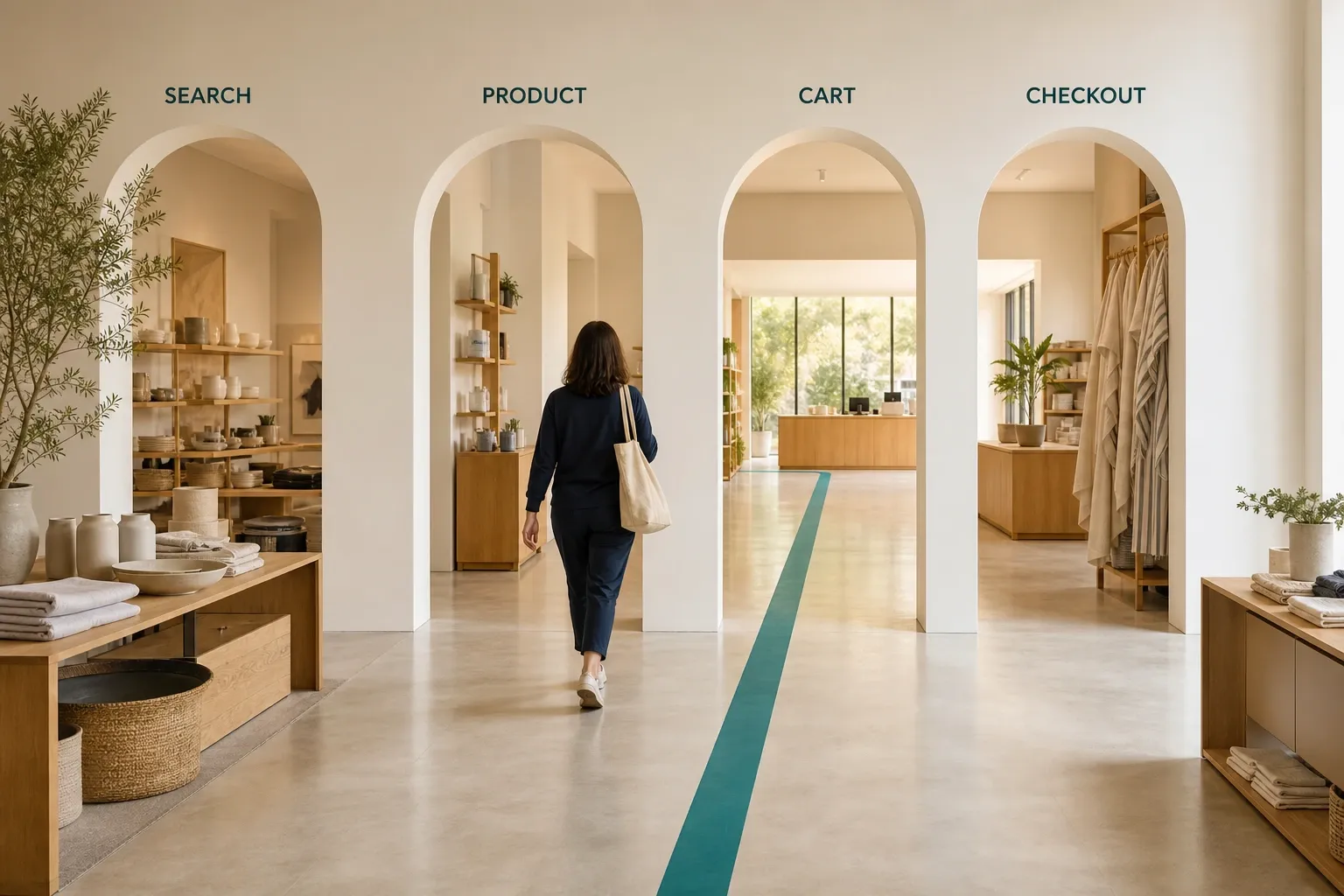
Shopper walking through archways labelled Search, Product, Cart and Checkout, following a teal path to the checkout counter.

Using W3C WCAG 2.2, WebAIM’s 2025 Million report, Click-Away Pound, and the provided EnableAll product and case-study material, this guide focuses on how retail teams should assess accessibility software. The core question is simple: does the software remove real shopping barriers on product, cart, and checkout pages, or does it mainly add a surface layer?

In short: the best accessibility software for retail brands is the option that reduces WCAG 2.2 issues in code, supports shopper personalization, and works across key ecommerce flows like search and product pages.

WCAG 2.2 became a W3C Recommendation on October 5, 2023 (with an editorial update on December 12, 2024) and adds nine success criteria beyond WCAG 2.1, so software should be judged against current standards, not older checklists alone.

Retail risk is still high: WebAIM’s 2025 Million report found 50,960,288 distinct accessibility errors across 1,000,000 home pages, averaging 51 errors per page, while Shopify home pages averaged 69.6.

Accessibility software matters commercially, not just legally: the original 2016 Click-Away Pound survey found that more than 4 million people abandoned a UK retail website because of accessibility barriers, at an estimated cost of £11.75 billion in lost spend; a 2019 follow-up put annual UK losses at £17.1 billion, so the problem has grown rather than shrunk.

For most retailers, the strongest setup combines automated detection, code-level fixes, personalization features, ongoing monitoring, and manual review of checkout, forms, navigation, and product media.

If a tool cannot explain how it handles labels, keyboard access, focus states, errors, and dynamic UI components, it is unlikely to solve the problems that block real shoppers.

Retail brands also need to separate useful accessibility software from generic site scanners. A homepage score can be helpful, but retail accessibility usually breaks inside repeated templates, third-party apps, and checkout interactions where revenue is actually won or lost.

What makes accessibility software different for retail brands?

Retail accessibility software must handle Shopify themes, product templates, and checkout journeys, not just static pages.

A retail site is full of dynamic elements: variant selectors, filters, mini carts, image galleries, promo banners, account areas, and payment forms. If the software only scans top-level pages, it may miss the same issue repeated across hundreds or thousands of products. A common mistake is assuming a clean homepage means the store is accessible enough.

That is why retail teams should look for software that can address template-level patterns. Fixing one unlabeled swatch, one broken focus state, or one inaccessible drawer menu in source code can improve dozens of pages at once.

Does accessibility software actually affect ecommerce conversion and revenue?

Yes. WebAIM and Click-Away Pound show accessibility barriers are a retail revenue issue, not only a compliance issue.

WebAIM’s 2025 Million report found 50,960,288 distinct accessibility errors across 1,000,000 home pages, with an average of 51 detected errors per page. Shopify home pages in that sample averaged 69.6 detected errors, which was 36.6% above the overall average. For retail leaders, that is a strong signal that platform-specific patterns matter and that “good enough” is usually not good enough.

EnableAll’s own case-study data shows accessibility users converting at 3 to 6 times the rate of the general population.

The commercial case is just as important. Click-Away Pound’s retail-focused survey work reported that more than 4 million people abandoned a retail website because of accessibility barriers, with estimated lost spend of £11.75 billion in its original 2016 study; by 2019, that lost-spend estimate had grown to £17.1 billion.

If your checkout, login, or product selection flow breaks for keyboard or screen reader users, the effect is not abstract. It shows up as exits, failed sessions, and unfinished orders.

What are the best accessibility software options for retail brands?

The best option depends on your stack, but retail teams usually choose among code-fix platforms, audit-led programs, and developer testing tools.

“Best” should mean best fit for your store model, internal team, and risk profile. A small Shopify brand and a multi-brand enterprise retailer may both need accessibility software, but they often need different operating models. The five categories below are the ones retail teams typically evaluate; EnableAll is included as the Shopify-focused example, not as a neutral fifth option graded against the others.

EnableAll: a ecommerce-focused accessibility platform with front-end code-fix remediation, Assist-Bar personalization, AI alt text, Auto-Audit, and expert services for brands that want ecommerce-specific coverage without a long dev queue.

Developer testing suites: best for engineering-led teams that want issue detection in QA, CI/CD workflows, and internal remediation ownership.

Toolbar plus audit support: useful when shopper customization matters, but a toolbar alone does not remove source-code failures.

Managed accessibility agency model: a good fit for complex catalogs, custom front ends, and teams that need policy, training, audits, and manual remediation.

Mixed-stack approach: scanner, manual audit, and sprint-based fixes for brands with in-house UX and frontend capacity.

The common misconception here is that the tool with the most features is automatically the best choice. In practice, the best accessibility software is the one that can prove coverage on your revenue pages and can be maintained by your actual team.

How should a retail brand evaluate accessibility software step by step?

Start with WCAG 2.2 coverage, then test retail flows, then verify how fixes are delivered and maintained.

Step 1 is standards coverage. W3C published WCAG 2.2 as a Recommendation on October 5, 2023 (with an editorial update on December 12, 2024), and it adds nine success criteria beyond WCAG 2.1. If a vendor still talks only about older success criteria, ask what its roadmap and current support look like for newer requirements such as focus appearance and accessible authentication.

Step 2 is flow testing. Ask the vendor to show how the software handles search, collection filtering, product options, add-to-cart, login, and checkout error states. Pro tip: insist on testing with keyboard-only navigation and a screen reader, because many retail blockers never appear in a basic visual scan.

Step 3 is fix method and maintenance. You need to know whether the tool reports issues, patches the rendered DOM, fixes code patterns, or depends on your team to remediate everything manually.

Use a scorecard so selection stays practical, covering five areas.

Coverage: product listing pages, product detail pages, cart, checkout, account, and search.

Fix method: detection only, client-side patching, code-level remediation, or managed remediation.

Operations: install time, language support, monitoring cadence, and reporting clarity.

Evidence: accessibility statement support, audit trail, manual testing process, and issue prioritization.

Commerce impact: conversion, checkout completion, and reduced abandonment on key flows.

Accessibility overlay vs code-level accessibility software: which is better for retail?

Code-level remediation is stronger than an overlay alone because WCAG failures live in HTML, ARIA, focus behavior, and forms.

An overlay or assistive toolbar can be useful when it gives shoppers options like contrast adjustments, text resizing, reading aids, or cursor support. Those features can improve usability for some visitors. The trade-off is that personalization controls do not automatically repair missing labels, broken headings, incorrect button semantics, or inaccessible modal logic in the underlying code.

EnableAll’s pricing includes code-fix capabilities, 45+ Assist-Bar features, and support for 133 languages.

If a retail brand must choose between the two, code-level fixes usually deserve priority because they address the cause of the problem. If you can combine code-level remediation with a well-designed assistive layer, that is often a better retail setup than using a toolbar alone. A frequent misunderstanding is to treat “overlay” and “accessibility software” as synonyms. They are not the same category.

Shopify app vs enterprise accessibility program: which fits your team?

A Shopify app suits faster deployment, while an enterprise accessibility program suits custom stacks, multiple teams, and formal governance.

For many small to mid-sized retailers, a Shopify-first accessibility app is the practical starting point. It can be easier to install, faster to test, and simpler to manage across a lean ecommerce team. That matters when the same people handle merchandising, promotions, and site operations.

An enterprise program makes more sense if you run custom storefronts, multiple regions, several brands, or a large internal dev team. In that case, software alone may not be enough. You may also need governance, scheduled audits, remediation workflows, design system updates, and legal review support.

The trade-off is speed versus control. If your stack is standardized and your team is lean, simplicity is valuable. If your stack is fragmented, control and process usually matter more than one-click deployment.

How do you audit your store’s WCAG 2.2 gaps step by step?

Audit product pages, collection pages, cart, and checkout first because repeated template issues create the largest WCAG 2.2 risk.

Step 1 is to scan the pages that drive revenue, not just the homepage. Start with collection pages, product pages, cart, login, and any custom checkout or post-purchase flows. Repeated errors in a Shopify theme can multiply quickly across the catalog.

Step 2 is manual testing. Use keyboard-only navigation, a screen reader, zoom and reflow checks, and form validation checks. This is where problems with focus order, hidden labels, modal traps, or inaccessible swatches often appear. A scanner can find patterns, but it will not tell you whether a shopper can actually complete a purchase.

Step 3 is WCAG 2.2 prioritization. W3C recommends using WCAG 2.2 to maximize future applicability of accessibility work. For retail, pay close attention to newer success criteria that affect authentication, focus visibility, dragging alternatives, and target size, because those often touch mobile commerce and account access.

How do you implement accessibility software without slowing down your site or backlog?

Begin on your highest-traffic Shopify theme, validate performance, then roll out monitoring before peak trading periods.

Step 1 is to launch on the templates that matter most commercially. That usually means homepage, collection, product, cart, and account flows first. If holiday trading or a major campaign is close, start where the session volume is highest so your validation is meaningful.

Step 2 is to test performance and regressions right away. Accessibility software should not break merchandising widgets, search behavior, or conversion tracking. Another common mistake is forgetting to retest third-party apps like reviews, wishlists, subscriptions, and live chat, which often introduce fresh barriers.

The most practical rollout is usually phased. Fix the shared template issues first, confirm there is no visible design drift, then expand monitoring across the full catalog and app stack.

Which accessibility features matter most on product and checkout pages?

Product media, navigation, forms, and checkout controls matter most because they control discovery, trust, and payment completion.

Retail teams often spend too much time on generic homepage widgets and not enough on the tasks shoppers repeat on every visit. The highest-value features are the ones that let people find a product, understand it, choose options, and pay without getting blocked, including product image alt text; keyboard access to menus, filters, drawers, and swatches; visible focus states on buttons and links; form labels, instructions, and error messages; color contrast, zoom, and reflow support; and accessible authentication and checkout inputs.

If a tool handles these well, it is already covering a large share of practical retail risk. Pro tip: treat product option selectors and error messages as priority items. They fail often, and they tend to hit conversion directly.

How should you measure success after installing accessibility software?

Track WCAG errors, assistive feature usage, conversion, and checkout completion together, not as separate reporting streams.

The baseline should be established before launch, then reviewed again at 30, 60, and 90 days. A scanner score alone is not enough. You want to see whether issue counts fall on key templates, whether shoppers actually use the accessibility features, and whether the affected sessions convert better after barriers are removed.

According to EnableAll’s case-study data, Oakley Home & Gifts reduced WCAG errors by 79% and logged more than 152,000 accessibility interactions in two months.

Case-study numbers can be useful benchmarks, but your own reporting should stay focused on your store model, traffic mix, and checkout flow. The right question is not “did the score improve?” It is “did fewer users get blocked while shopping?”

Useful measurement categories fall into five groups.

Accessibility quality: detected errors by template, severity, and repeat issue type.

Usage signals: assistive feature interactions, keyboard usage patterns, and session paths.

Commerce performance: add-to-cart rate, checkout completion, and revenue per accessible session.

Operational impact: developer hours avoided, unresolved issue age, and audit cadence.

Risk reduction: coverage against WCAG 2.2 checks and documentation readiness for ADA or EAA review.

If your error count drops but checkout completion does not improve, keep investigating the shopping flow. If both improve, the software is doing more than checking a compliance box.

In just a few clicks.

EnableAll accessibility widget icon
Facegym logo
Unhidden logo
BuDaGirl logo
Sabatino logo
Trend Tonic logo
Antler logo